Tile Mosaic Maker – From Mosaic Design to Production
Professional Mosaic Design Software and Online Tools for the Mosaic Industry
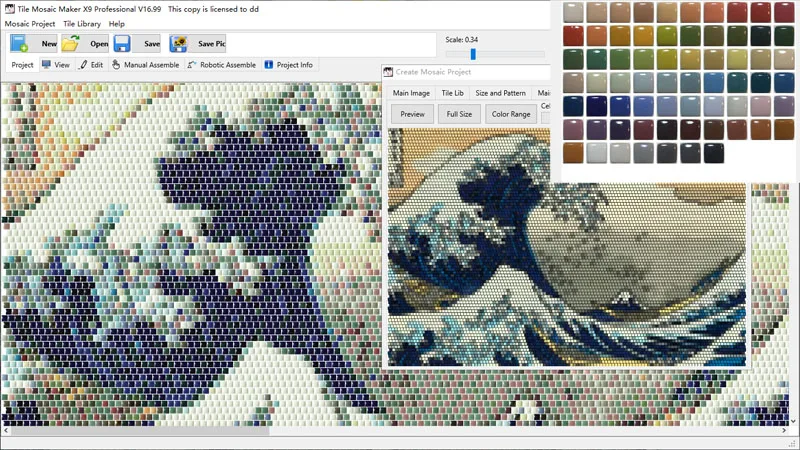
Tile Mosaic Maker transforms ordinary pictures into detailed mosaic designs using your own collection of tiles, glass, stone, ceramic, or other mosaic materials.
But designing the mosaic is only the beginning. Tile Mosaic Maker also helps prepare tile statistics, production workplans and robot operation data — connecting digital design with the equipment and processes used to produce real mosaics.
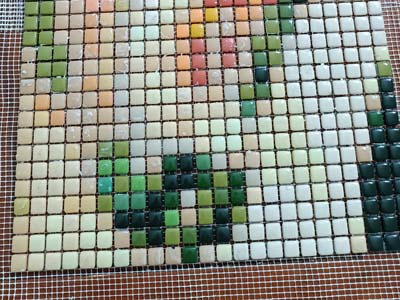
 Real tile mosaic
Design with your tiles. Connect your design to production.
Turn Pictures into Real Tile Mosaic Designs
Tile Mosaic Maker converts a reference picture into a mosaic made from individual physical tiles. Import your own tile samples, organize a tile library, choose tile shapes and patterns, and control the rendering process to create a mosaic design.
The software analyzes the available tile colors and selects suitable tiles to reproduce the main image — so every design is built from materials you can actually purchase or produce.
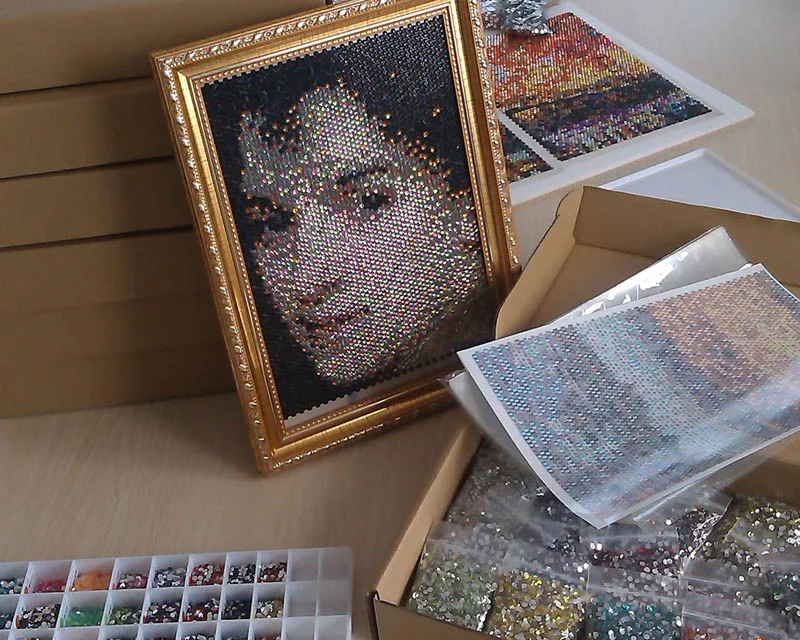
It supports many mosaic applications: ceramic and glass tile mosaics, stone mosaics, crystal mosaics, carpet designs, diamond mosaics, cross-stitch patterns and other grid-based material artwork.
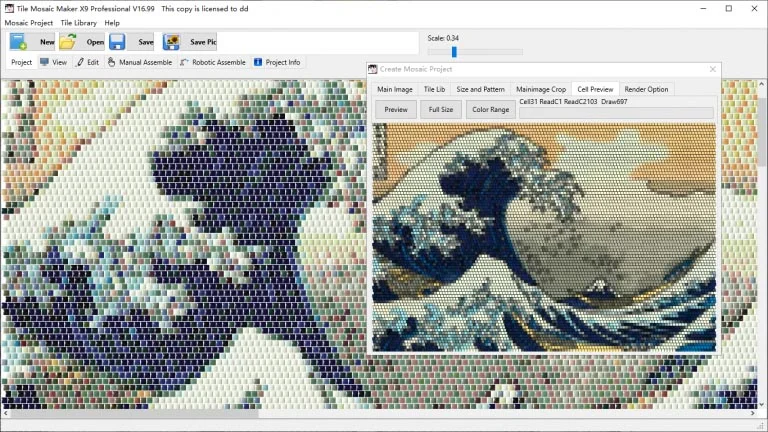
Professional Tools for Design and Production
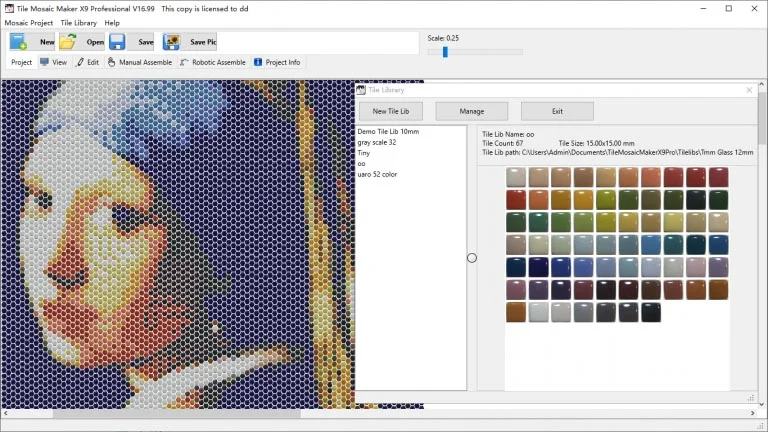
Custom Tile Library
Import your own tile samples and build a digital library of the materials available for a project. A design should be based on tiles that can really be purchased or produced — the software renders from your actual collection.
Advanced Mosaic Rendering
Convert a reference image into a mosaic with an advanced render engine and customizable matching options, refining the result until it reads well from viewing distance.
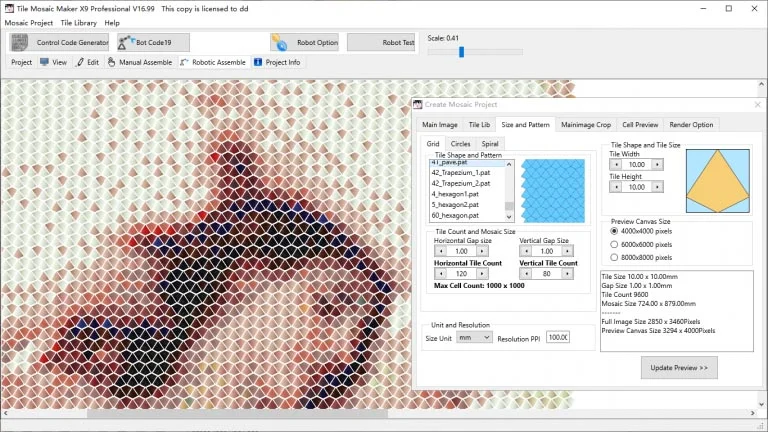
Shapes and Patterns
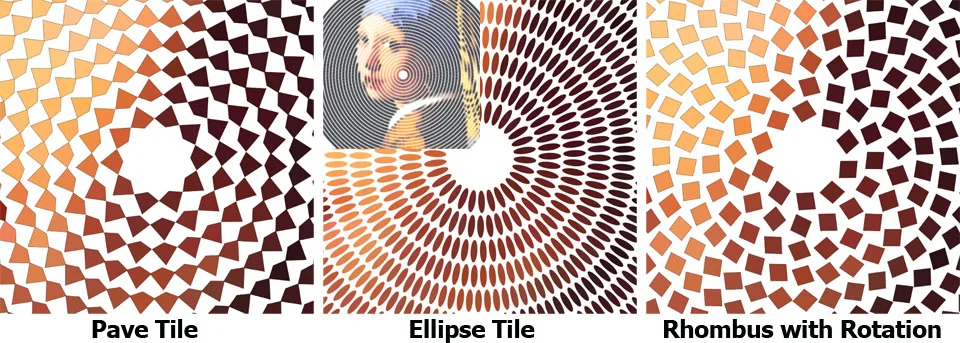
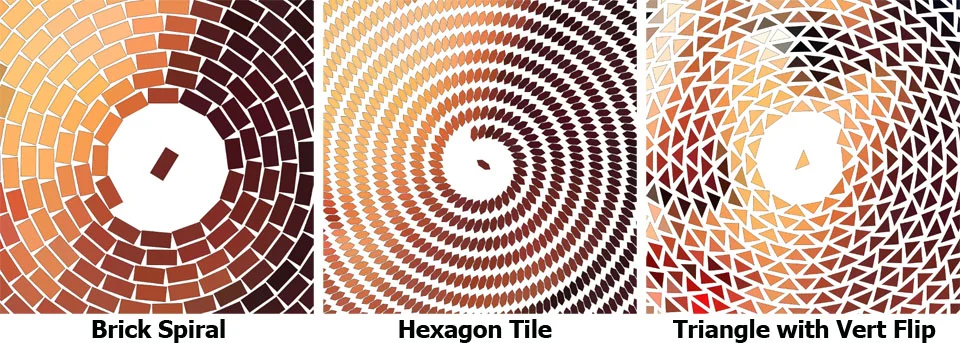
Choose from five cell shapes — including Ellipse and Hexagon — and lay them out on Grid, Circle or Spiral patterns to match the character of your project.
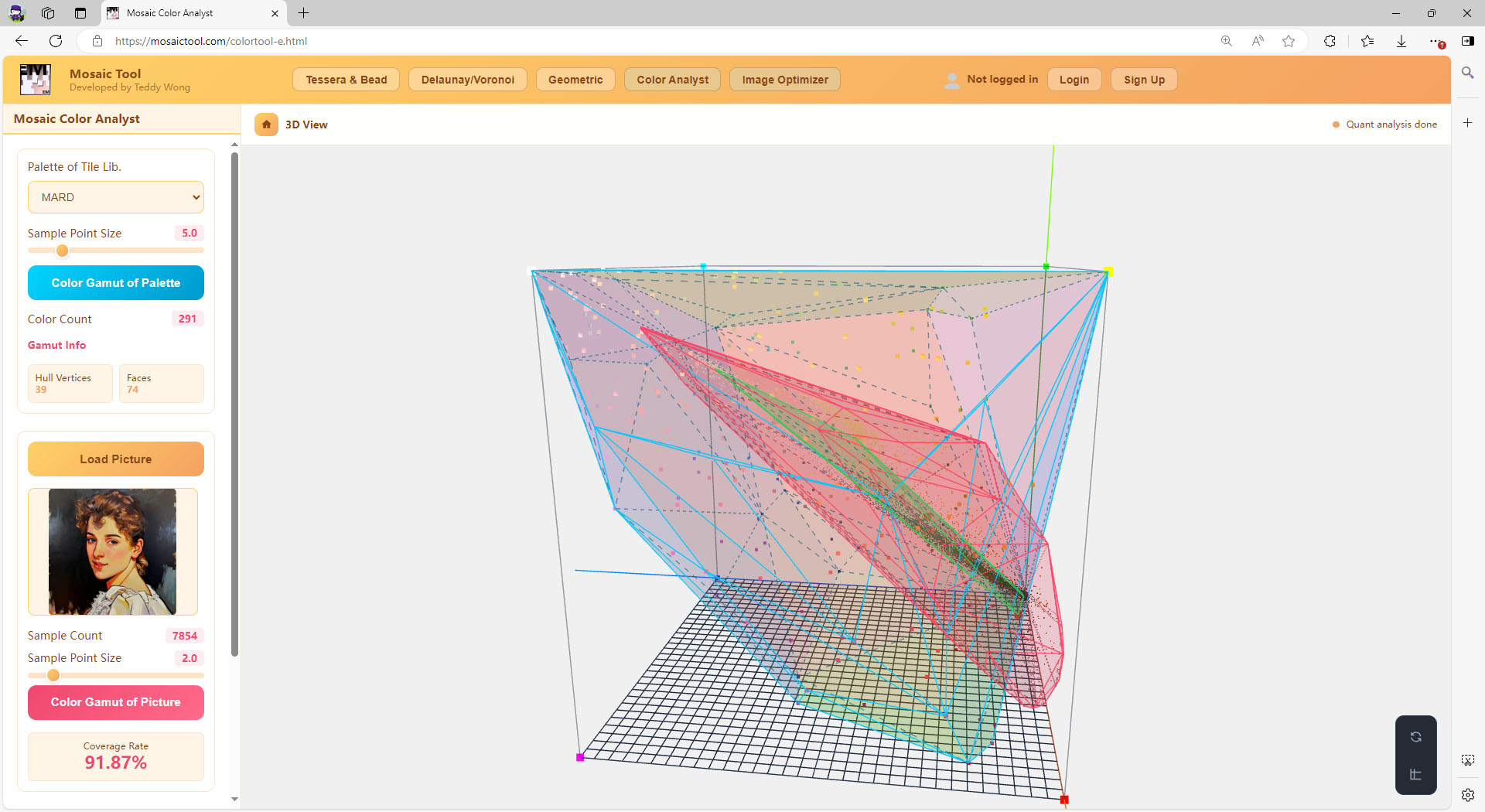
Color Analysis and Comparison
Examine the relationship between the colors in a source image and your available tile collection before rendering. For deeper palette work — including color reduction, which simplifies complex source images into a manageable set of colors — use our free Color Analyst tool.
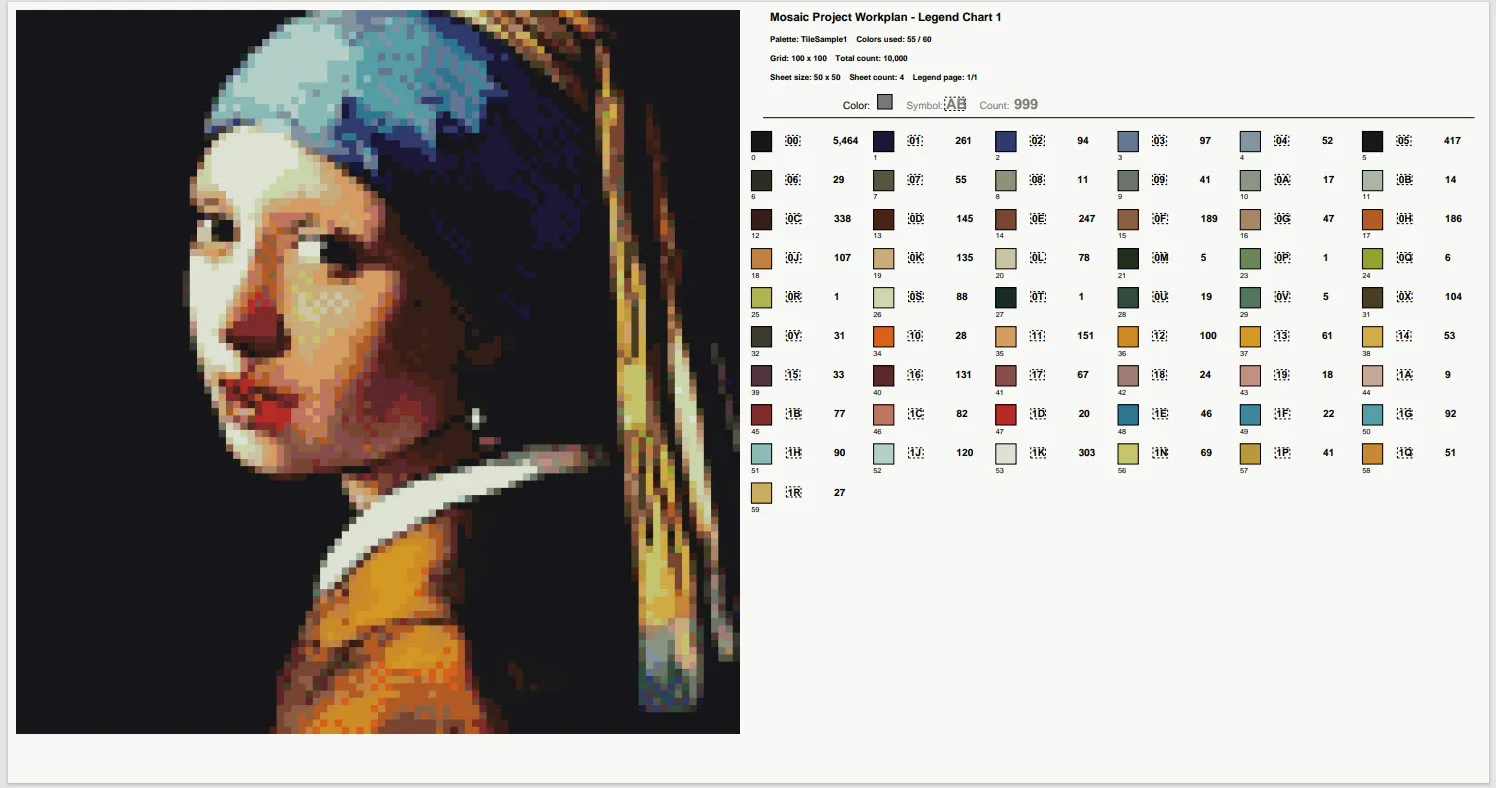
Tile Statistics
Generate tile statistics sheets that show how many tiles of each type or color are required — the basis for planning material purchases from tile stores or manufacturers.
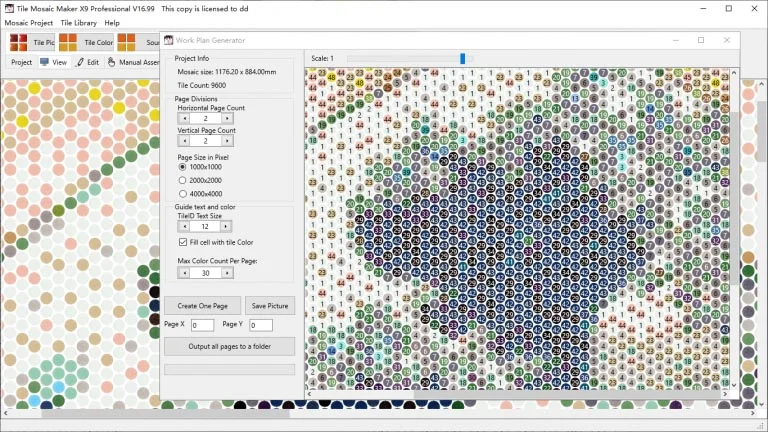
Workplan Generator
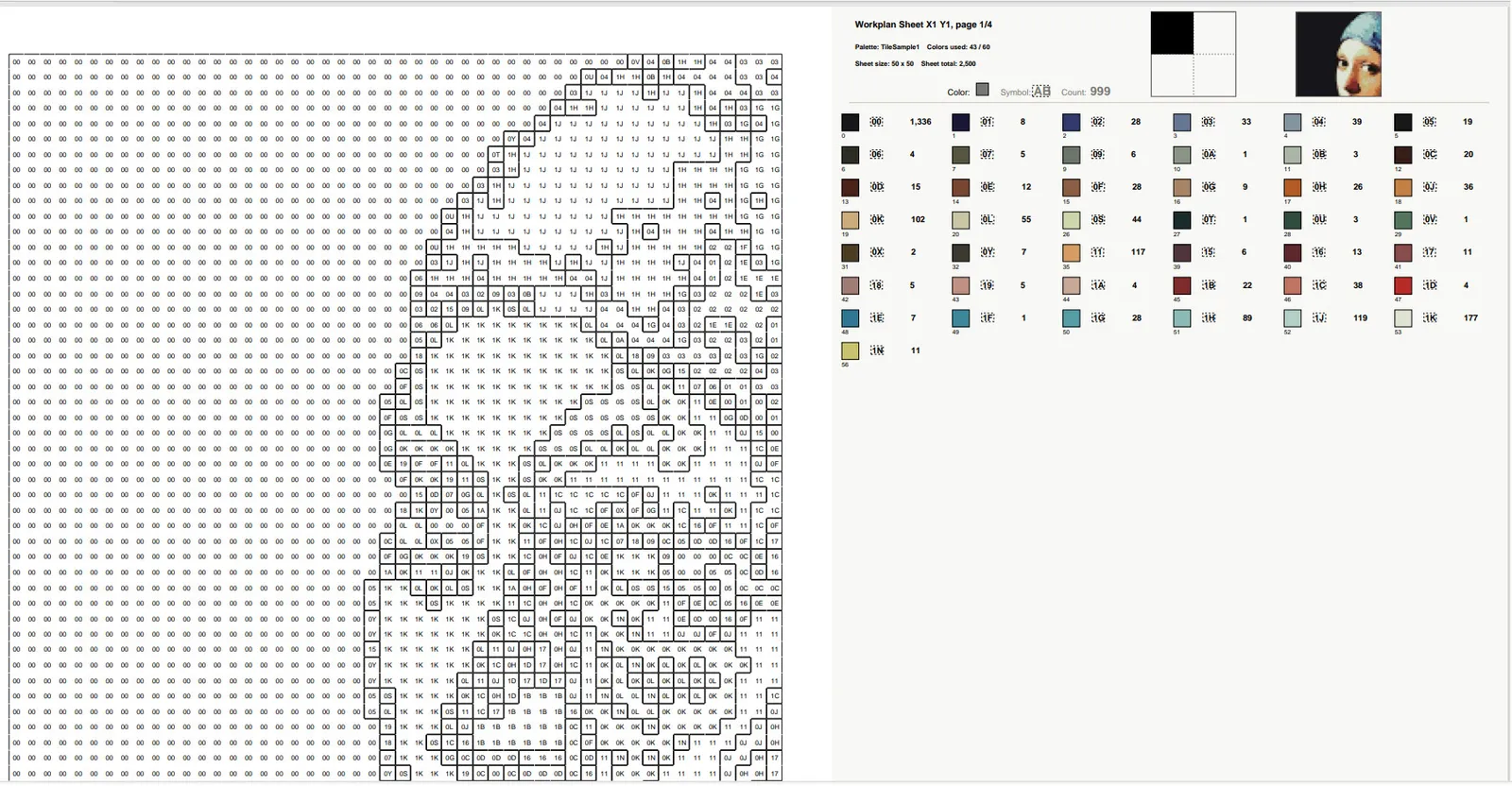
Generate detailed workplans that turn a digital design into a practical assembly process — paginated sheets with position coordinates, legends and per-color counts.
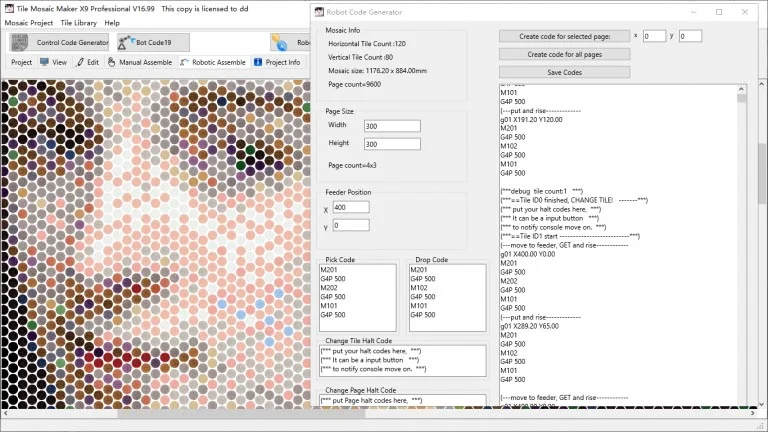
Robot Operation Code
For supported production configurations, generate operation data for compatible mosaic assembly equipment. The software generates the data; the robot and associated hardware are separate products.
Grid, Circle and Spiral Patterns in Practice
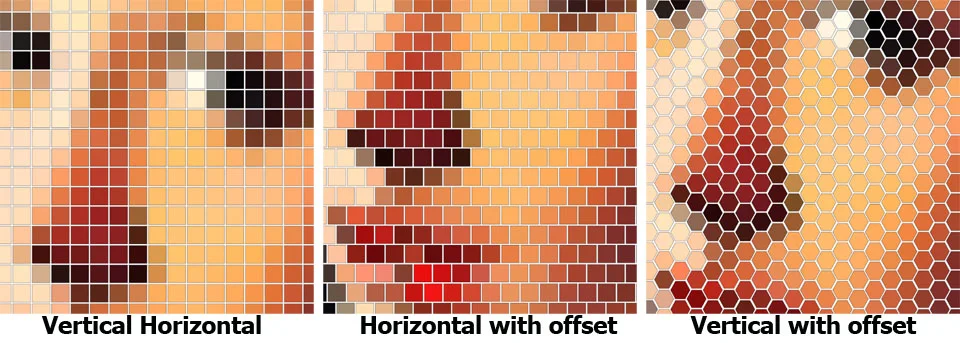
Choose the Right Way to Use Tile Mosaic Maker
Standalone Desktop Software
Professional mosaic-design environment installed locally — for individual artists, professional designers, production studios and manufacturers. Windows and Mac.
| Edition | X9 Standard$99 | X9 PRO$585 |
|---|---|---|
| Tile Library | Up to 200 tiles per set | Up to 2,000 tiles per set |
| Mosaic Size | Up to 200 × 200 cells | Up to 1,000 × 1,000 cells |
| Cell Shapes | 5 shapes | 5 shapes |
| Patterns | Grid, Circle, Spiral | Grid, Circle, Spiral |
| Workplan Generator | — | Included |
| Excel Output | — | Included |
| Mosaic Robot Link | — | Included |
| Color Reduction | — | Included |
Direct purchase includes both Windows and Mac versions. Also available from the Microsoft Store.
Online Tile Mosaic Maker
The browser-based version: the core mosaic design workflow and workplan output, delivered as a subscription service with nothing to install.
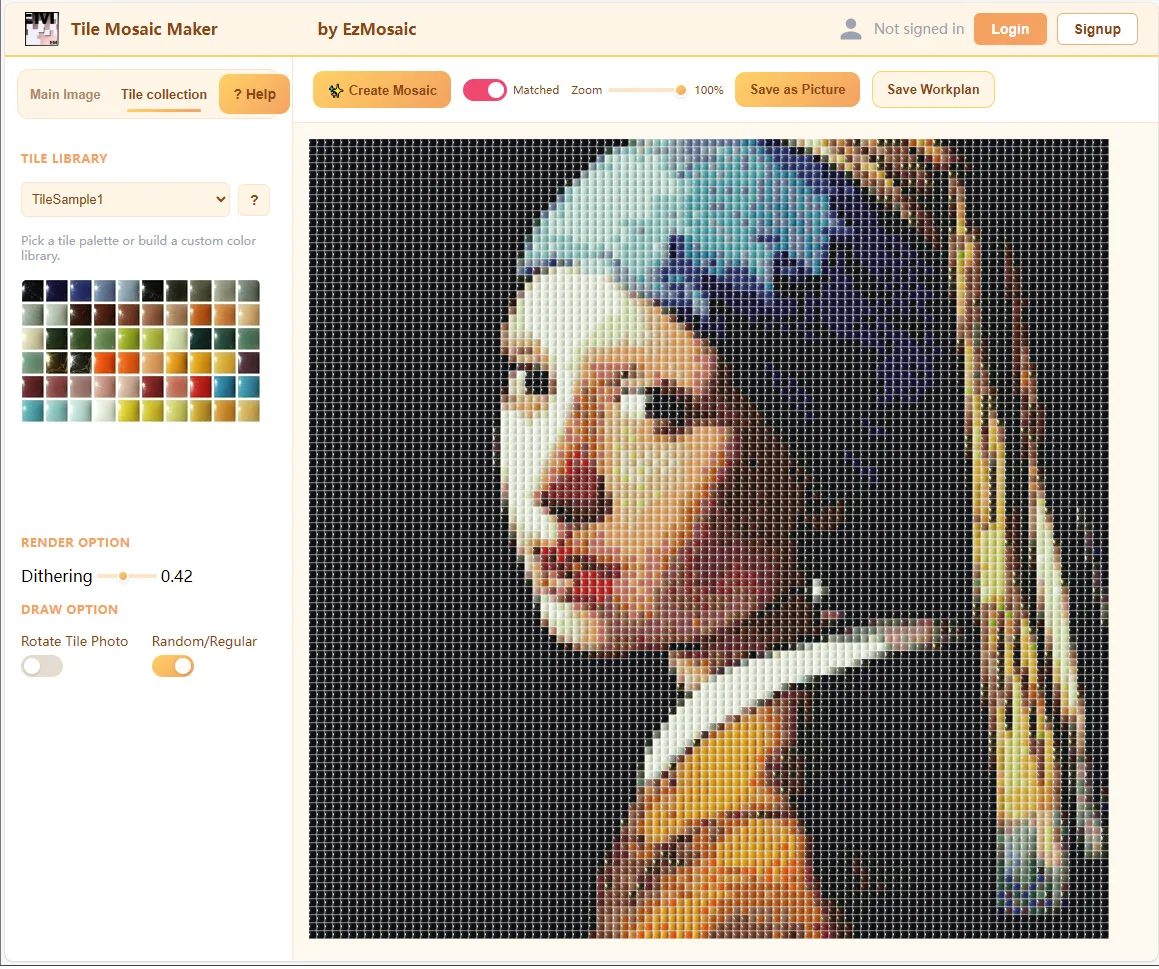
- Design tile mosaics directly in the browser, from any workstation you sign in from
- Pick tiles from real library palettes and render against real tile colors
- Generate a printable PDF workplan with per-color tile counts and assembly sheets
- Subscription access — always current, nothing to install or maintain
- Can be configured for partner websites with the partner’s own tile collection
Current subscription tiers and terms are displayed inside the application.
Bring an Interactive Mosaic Designer to Your Website
Your Tile Collection. Your Brand. Your Customers’ Designs.
Are you a mosaic brand, tile manufacturer, distributor or tile dealer? Give your customers a way to design their own mosaics using the tiles you actually sell.
Tile Mosaic Maker’s online version can be configured as a dedicated mosaic-design page and embedded into your existing website. Instead of directing visitors to a generic mosaic-design application, you offer an experience built around your own tile collection.
Your customers can explore your available materials, upload their own pictures and create mosaic designs using your products — turning your website from a simple product catalog into an interactive mosaic-design destination.
Use Your Own Tile Collection
Configure the online designer with your own tile samples and product collection.
Integrate with Your Existing Website
Offer the designer through a dedicated page embedded in your existing website.
Keep Customers Within Your Brand Experience
Present the tool as part of your own website and customer experience.
Help Customers Explore Your Products
Let visitors experiment with your tile collection and see how materials combine into mosaic designs.
Connect Design with Material Planning
Where the online application supports the relevant output, help customers understand which tiles their designs require.
Offer Your Customers Their Own Online Mosaic Designer
For mosaic brands, tile manufacturers and tile dealers who want to provide an online mosaic-design experience using their own tile collection.
- One partner business or brand
- One primary website / domain
- One dedicated embedded online mosaic designer
- Partner-specific tile library configuration
- Hosting and ordinary software updates
- Standard support
Custom development, complex data preparation, additional websites and hardware integration are quoted separately.
Learn More: Online Mosaic Designer for Tile PartnersBeyond Software: A Connected Mosaic Production Solution
Producing a large or complex mosaic involves more than creating a digital design. Materials must be selected, counted, prepared, positioned, assembled and secured. EzMosaic develops software and hardware that connect these stages into a more efficient production workflow — and Tile Mosaic Maker forms the digital design and production-data foundation of that workflow.
Mosaic Design Software
Create the mosaic design using real tile samples and generate the information required for production.
Tile Statistics and Workplans
Calculate tile quantities and prepare assembly instructions for manual or machine production.
Mosaic Assembly Robots
Use compatible robot operation data to automate tile placement. Explore Mosaic Robot.
Tile Feeding Systems
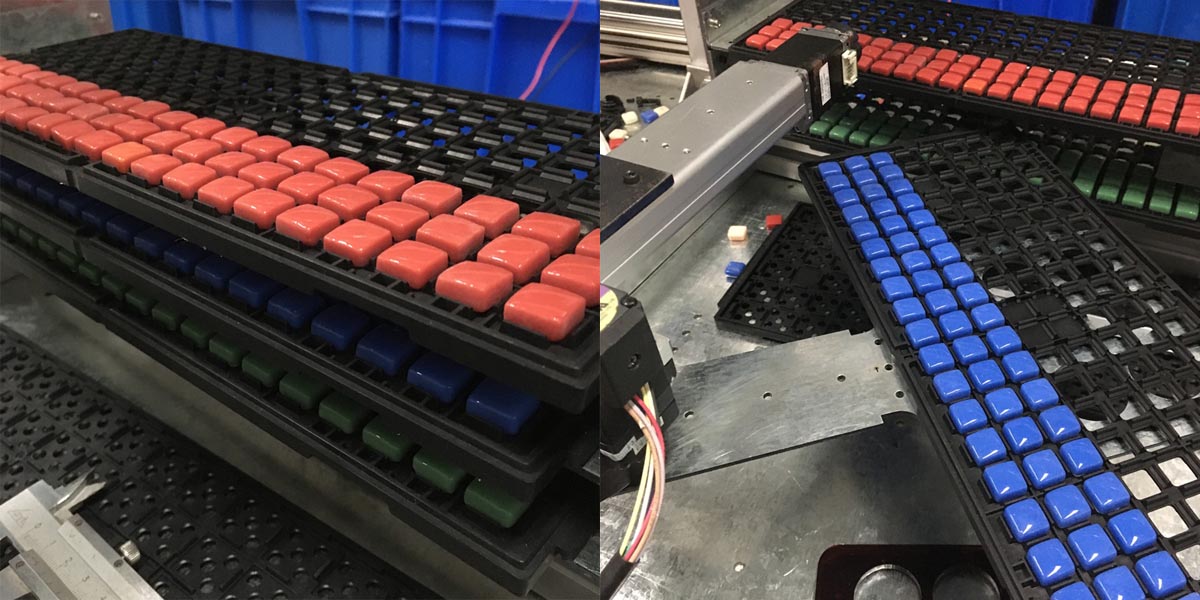
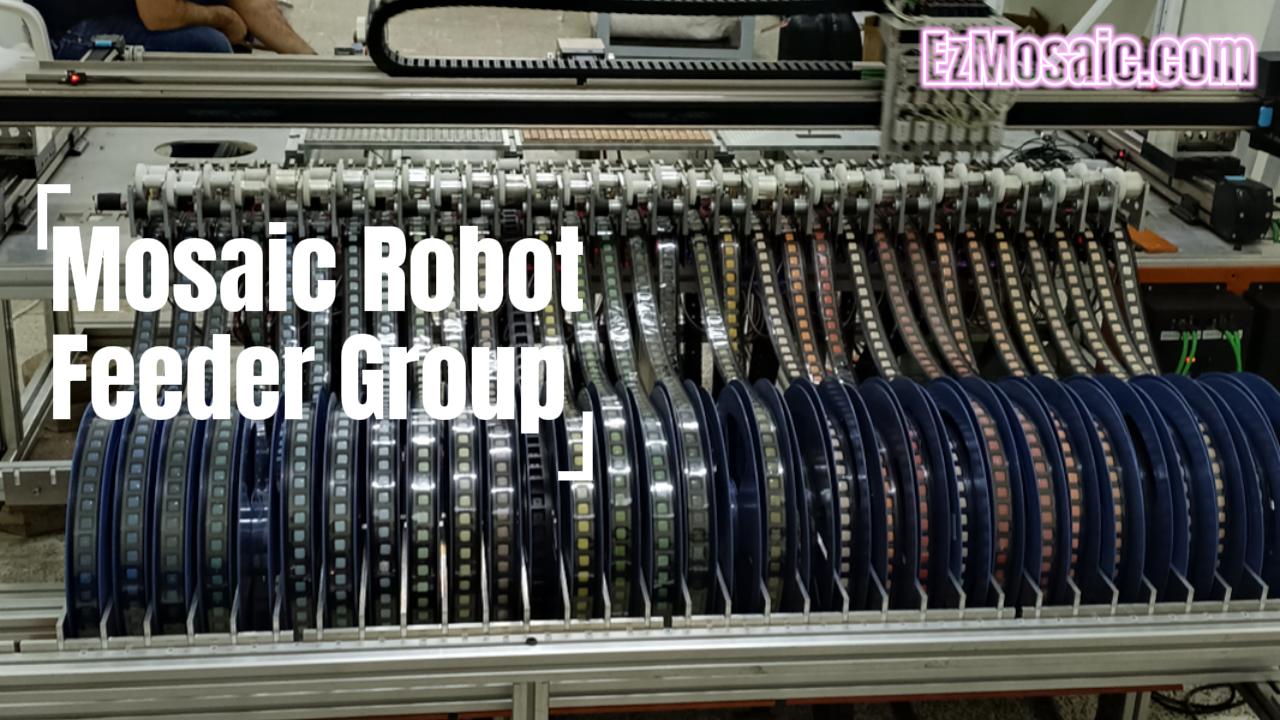
Prepare and supply tiles through trays, carrier tapes, tape feeders, vibration discs and other feeding systems. See products.
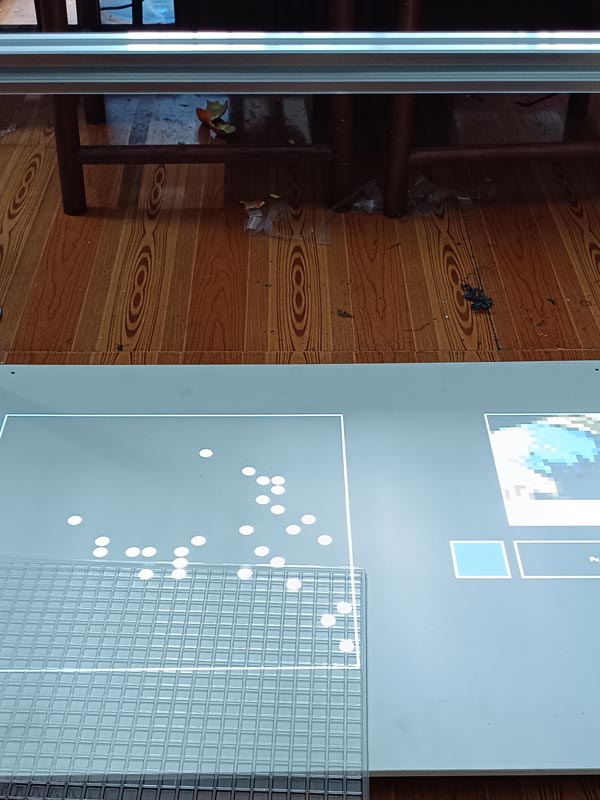
Workshop Equipment
Tile indicators, glue dispensers, camera-based quality inspection and tile refill tools support the production floor.
Accessories and Materials
Carrier trays, tapes, pallets, back mesh, glue and other production accessories. See the production workflow.
From Digital Mosaic Design to Physical Assembly
Import Tile Samples
Bring your real tile samples into the software and build the project tile library.
Create the Mosaic Design
Convert the reference picture into a mosaic rendered from your actual tile collection.
Generate Tile Statistics
Calculate how many tiles of each type or color the project requires.
Generate Workplan & Robot Data
Produce a detailed workplan and, for supported configurations, compatible robot operation data.
Prepare Tiles
Organize tiles in trays or carrier tapes according to the plan.
Load the Feeding System
Load prepared materials into the feeding system for assembly.
Assemble the Mosaic
Use the robot to place tiles — or assemble by hand using the workplan.
Secure the Panels
Fix completed panels with glue and back mesh.
Inspect and Deliver
Inspect, package and deliver the finished mosaic.
Who Should Use Tile Mosaic Maker?
Mosaic Artists and Designers
Create detailed mosaics using your own tile collections, with full control over shapes, patterns and rendering.
Mosaic Studios and Workshops
Improve material planning with tile statistics and organize the assembly process with workplans.
Tile Manufacturers
Showcase your tile collections and help customers explore creative applications of your products.
Tile Dealers and Distributors
Offer customers an interactive online design tool on your own website and encourage exploration of your products.
Mosaic Production Facilities
Connect digital designs with workplans, robot operation data and production equipment.
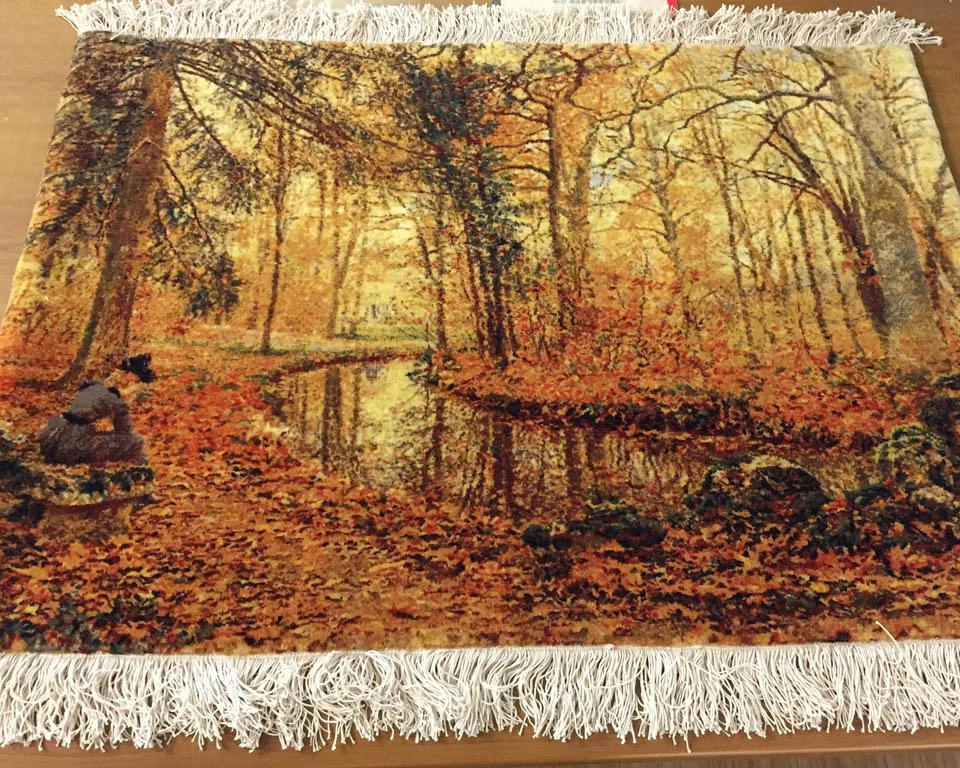
Carpet and Textile Designers
Explore grid-based color and material arrangements using your own color or material collections.
Mosaics by Material and Application
Ceramic Tile Mosaics


Crystal Glass Mosaics
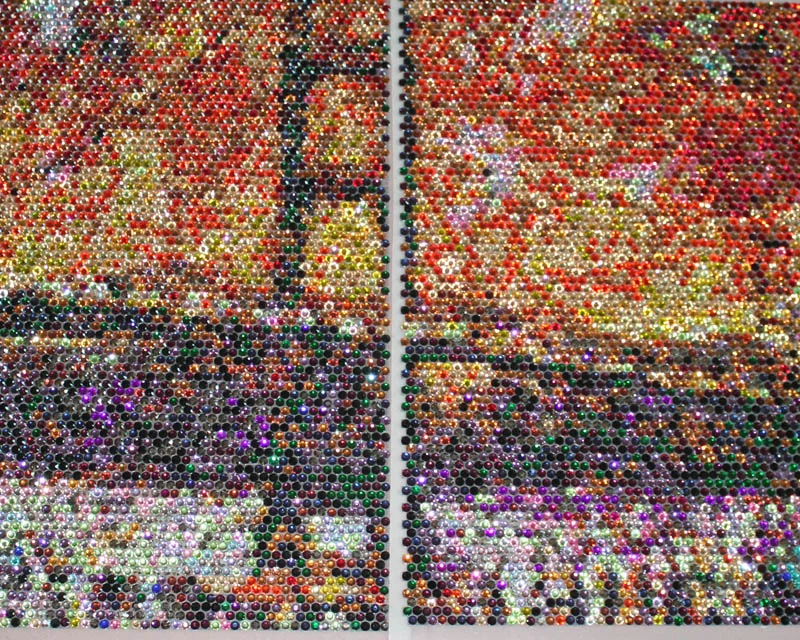

Carpet and Textile Patterns


Software and Engineering Experience for the Mosaic Industry
EzMosaic has been developing mosaic software since 1998.
Our work extends beyond digital design tools. We develop software, hardware and production solutions that address the practical challenges of making real mosaics.
From tile matching and material statistics to production workplans and robotic assembly, our solutions are designed to connect creative design with real manufacturing processes.
Whether you are an individual mosaic artist, a tile dealer or a production facility, EzMosaic provides tools and industry experience to help turn mosaic ideas into finished products — at the scale that fits your work.
Explore more: EzMosaic Software · Fast Mosaic · Mosaic Robot · Production, Printing & Shipping Services

Frequently Asked Questions
What is Tile Mosaic Maker?
Tile Mosaic Maker is professional mosaic design software that converts ordinary pictures into mosaic designs built from your own collection of tiles, glass, stone, ceramic or other materials. It also prepares tile statistics, production workplans and, for supported configurations, robot operation data. It is available as standalone desktop software and as an online mosaic designer.
What materials can I use with Tile Mosaic Maker?
Ceramic and glass tiles, stone, crystal glass, diamond mosaic drills, carpet and textile materials, cross-stitch patterns and other grid-based material artwork. You design against samples of the actual materials you plan to use.
Can I import my own tile samples?
Yes. Importing custom tile samples and organizing them into a tile library is a core feature. The software renders the mosaic from the materials in your library, so the design reflects what you can really purchase or produce.
What is the difference between Standard and PRO?
X9 Standard supports up to 200 tiles per set and mosaics up to 200 × 200 cells. X9 PRO supports up to 2,000 tiles per set and up to 1,000 × 1,000 cells, and adds the Workplan Generator, Excel output, Mosaic Robot Link and PRO color reduction. Both offer five cell shapes and Grid, Circle and Spiral patterns.
What is the difference between Online and Standalone?
The standalone version is installed desktop software (Windows and Mac) licensed as a one-time purchase, with the full X9 feature set. The online version runs in the browser as a subscription service covering the core design workflow and workplan output, with nothing to install — and it can be configured as an embedded designer for partner websites.
Can I use Tile Mosaic Maker for carpet or cross-stitch patterns?
Yes. The same image-to-pattern engine drives carpet designs, cross-stitch patterns, diamond mosaics and other grid-based material artwork, using your own color or material collections.
What is a tile statistics sheet?
A tile statistics sheet lists how many tiles of each type or color a design requires. It helps you plan material purchases from tile stores or manufacturers before production begins.
What is a mosaic Workplan?
A workplan is a set of detailed assembly instructions generated from your design: an overview with per-color tile counts plus paginated sheets with position coordinates, each with its own legend and counts. It guides assembly by hand or by machine.
Can Tile Mosaic Maker generate robot operation code?
Yes — the PRO edition’s Mosaic Robot Link generates operation data for supported production configurations and compatible mosaic assembly equipment. Compatibility depends on the specific production setup; the software generates the data, and the robot hardware is a separate product.
Does the software include a Mosaic Robot?
No. Robots, feeding systems and other workshop equipment are separate hardware products purchased independently, and may require configuration for your production process. The software also fully supports manual mosaic production without any robot.
Can I embed the online mosaic designer on my own website?
Yes. Mosaic brands, tile manufacturers, distributors and tile dealers can offer the online Tile Mosaic Maker as a dedicated mosaic-design page embedded in their own website. See the Partner Online License above and contact us to discuss an integration.
Can I use my own tile collection in the embedded designer?
Yes. The embedded online designer is configured with your own tile samples and product collection, so your customers design with the tiles you actually sell.
How much does the partner online license cost?
The Partner Online License is an introductory $500 per year — an annual software license covering one partner business or brand, one primary website/domain, one dedicated embedded designer, partner-specific tile library configuration, hosting, ordinary updates and standard support. Additional websites, custom development and hardware integration are quoted separately.
Do I need to buy hardware to use the software?
No. Tile Mosaic Maker works on its own for design, tile statistics and workplan preparation. Hardware such as assembly robots, feeders and tile indicators is optional and supports automated or assisted production.
Start Designing. Connect with Production.
Whether you want to create your first tile mosaic, give your customers an online mosaic designer, or build a more efficient mosaic production workflow, EzMosaic has tools and solutions to help.
Design with Your Tiles. Connect Your Design to Production.