Free Online Color Analyst
Analyze Color Ranges and Build Better Palettes for Your Creative Projects
When reproducing a picture with colored tiles, beads, yarn, or other physical materials, the colors available in your material collection determine what you can achieve.
Color Analyst helps you compare the color range of a reference picture with your available materials. Using 3D RGB color analysis, color gamut visualization, and color quantization, it helps you identify color limitations and develop a practical color palette before production begins.
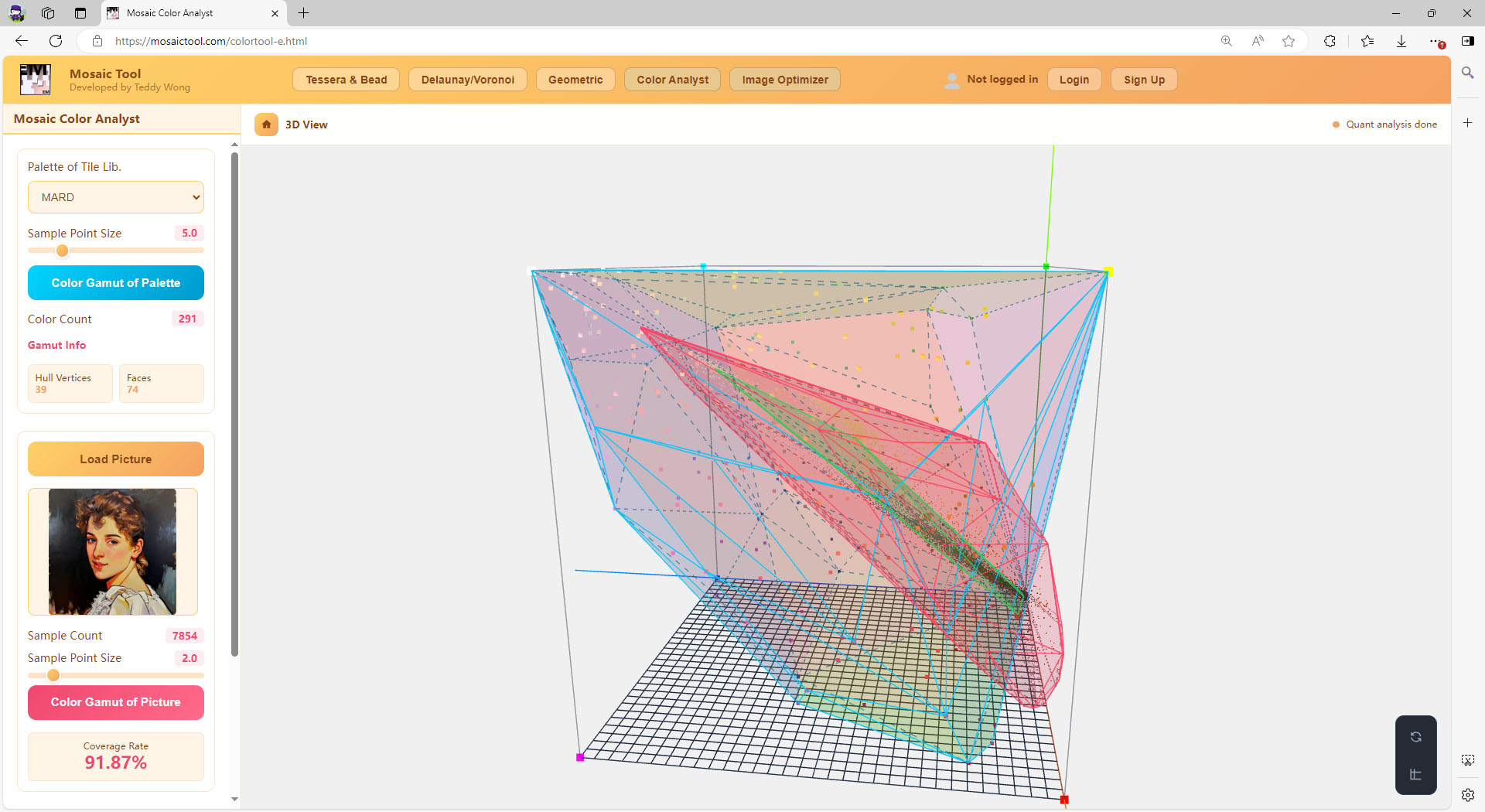
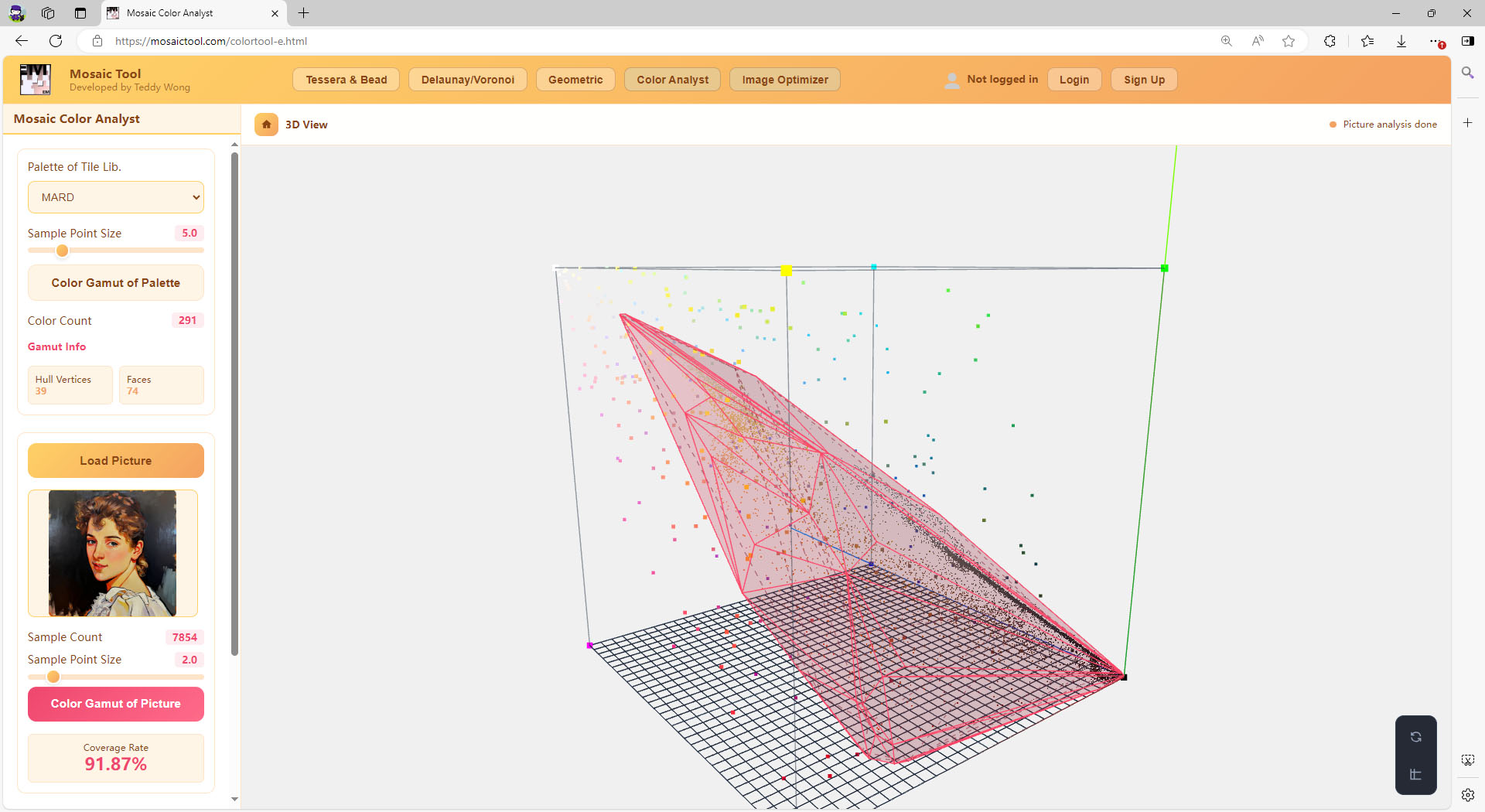
The real Color Analyst workspace: palette, picture, and quantized hulls compared in one 3D RGB view.
Why Color Compatibility Matters
A source picture may contain millions of possible RGB color values, but your physical materials may offer only dozens or hundreds of distinct colors.
For example, a mosaic artist may have a large tile collection but still lack the particular bright blue, dark red, or subtle green required by a reference image. The same challenge occurs in beadwork, carpet production, textile design, and other color-limited applications.
If the available material colors cannot cover important parts of the source picture’s color range, some visual details may be difficult to reproduce.
The important question is not simply how many colors you have — it is whether their combined color range can represent your picture. Color Analyst helps you examine this question before production starts.
See Your Colors in Three-Dimensional RGB Space
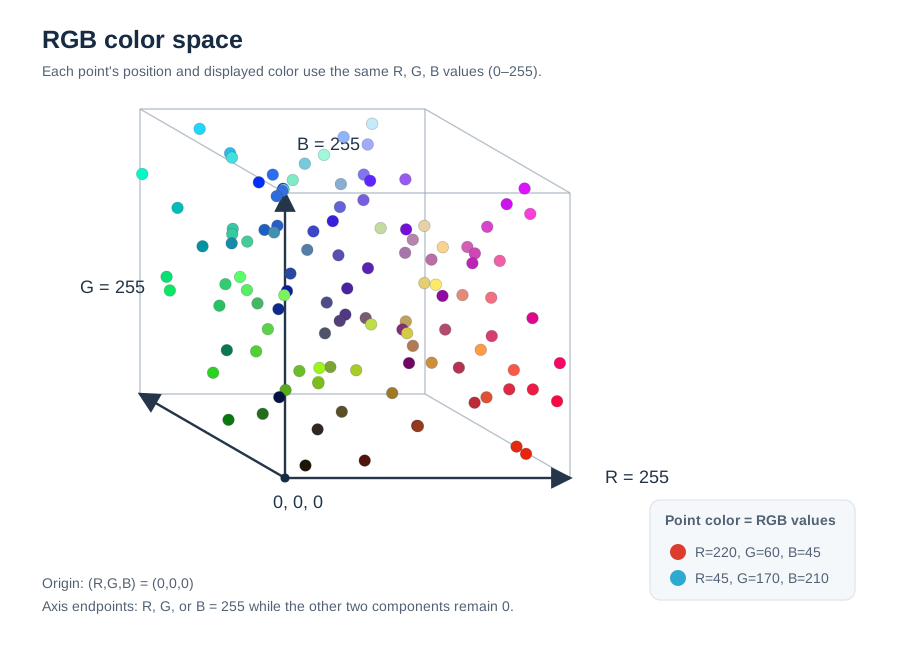
Every digital color can be represented by three numerical components: Red, Green, and Blue. These three values define a point in a three-dimensional RGB color space.
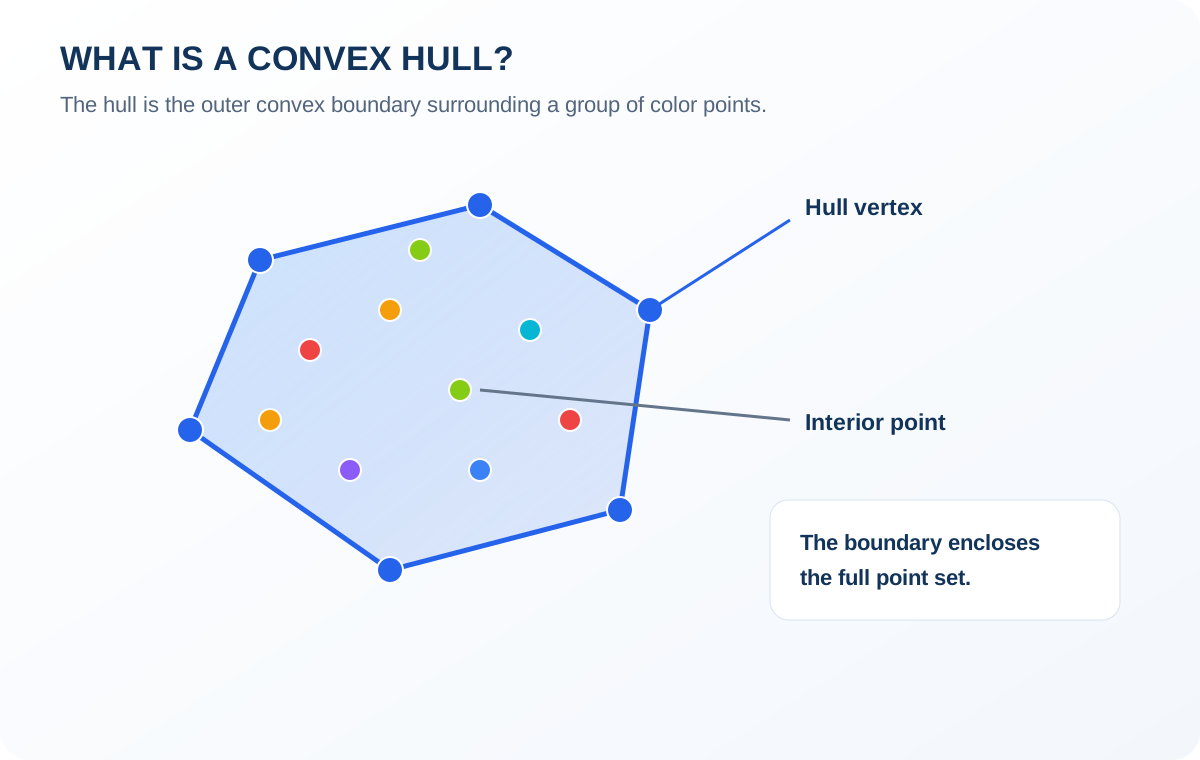
Color Analyst plots sampled colors from your material palette and reference picture in this space. It then calculates their convex hulls — mathematical boundaries that describe the overall color ranges of the different collections.
This makes it possible to compare the available material colors with the colors required by your picture — visually, in one shared 3D view.
Your Available Material Colors
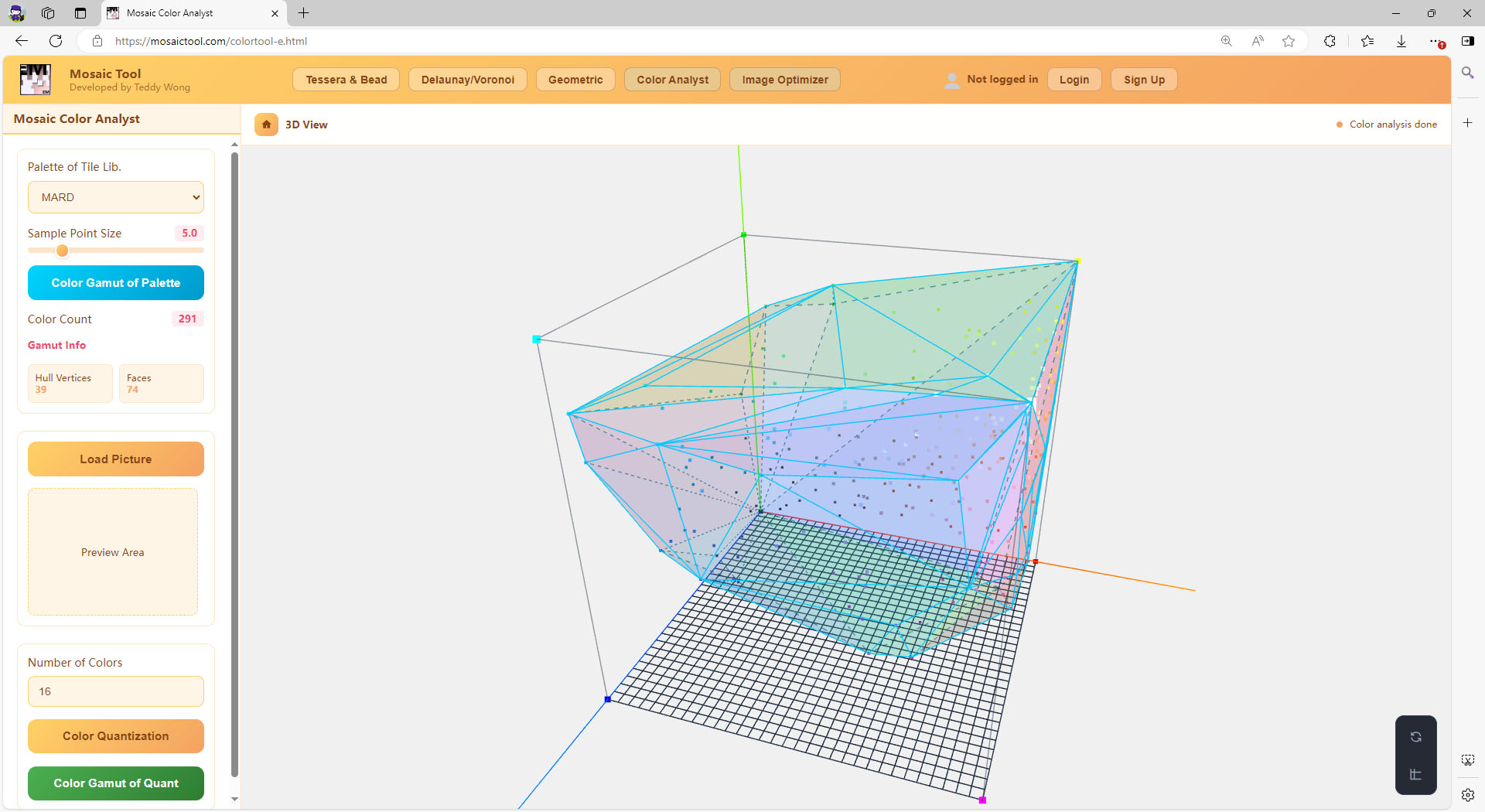
The Palette Hull represents the color range of your selected material library — the overall range of colors that your existing tiles, beads, yarns, or other materials can provide.
The Original Picture’s Color Range
The Picture Hull represents the full sampled color range of your reference picture. Its vertices identify the outer color boundaries, including important bright, dark, and distinctive colors.
A Simplified Color Range
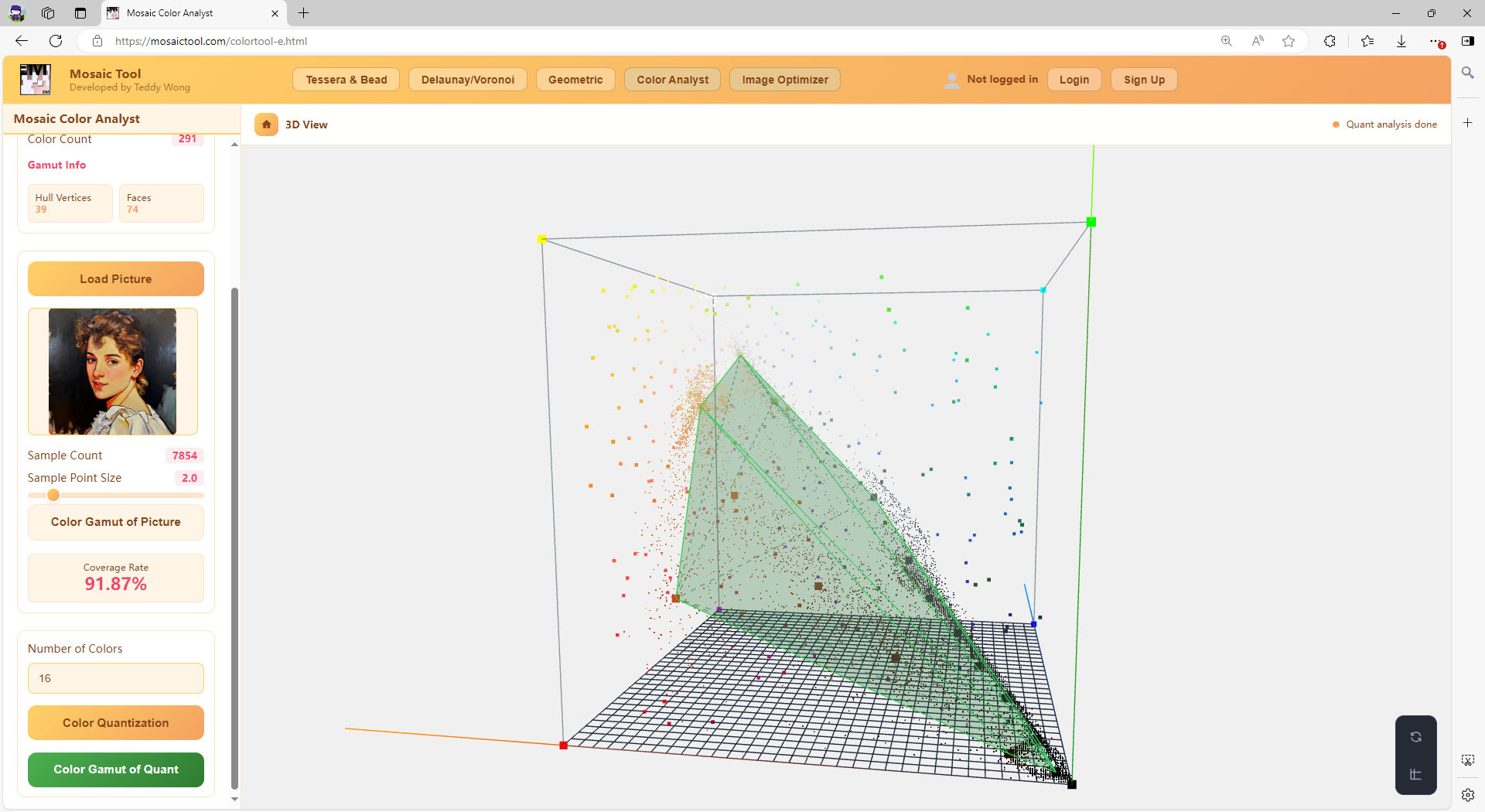
The Quantized Hull represents a reduced set of representative colors generated from the loaded source picture — how the picture’s color distribution can be simplified into fewer colors for practical production.
Check Your Color Coverage
Color Analyst calculates a Coverage Rate by checking how many sampled colors from the source picture fall inside the convex hull of your selected material palette.
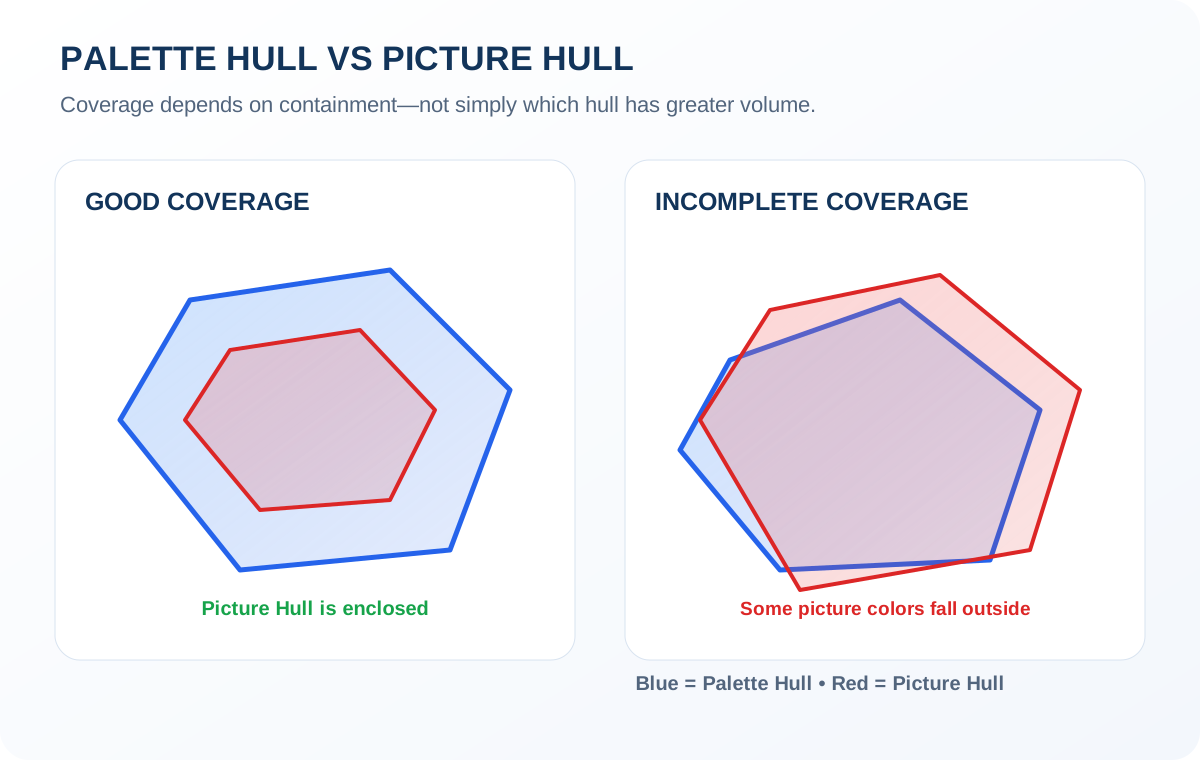
A higher Coverage Rate means that more sampled picture colors fall within the available material color range. A lower Coverage Rate indicates that some of the picture’s sampled colors fall outside that range.
This gives you an important early indication of whether your existing materials are suitable for the project. Note that containment matters, not simply which hull has a larger volume.
Simplify Complex Pictures into Manageable Color Sets
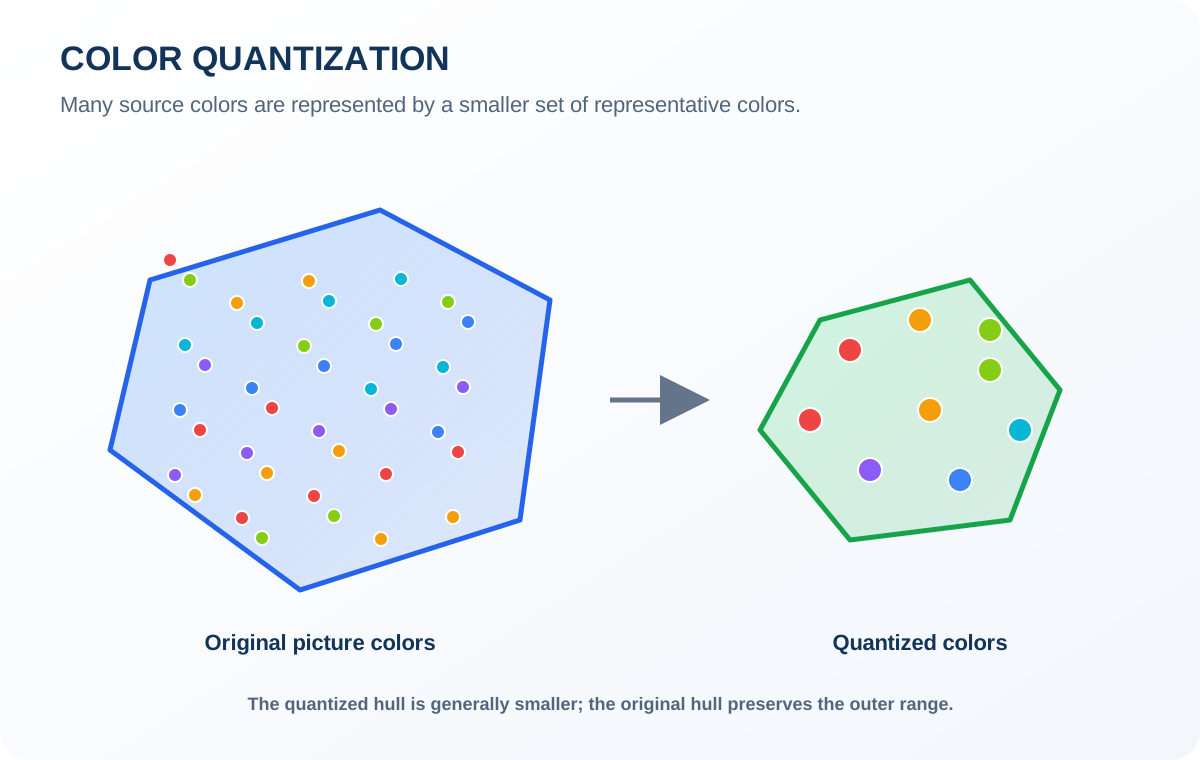
A digital picture can contain thousands or millions of different colors. Using all of them in a physical project may make material selection, purchasing, and production unnecessarily complicated.
Color Analyst provides Color Quantization to reduce the number of colors in the loaded picture. You choose a target number of colors, and the tool generates a smaller set of representative colors using color-reduction and clustering methods. For example, a picture containing a very large number of colors can be simplified into a more manageable set of 30 representative colors.
Why this matters:
· Fewer colors can simplify material purchasing.
· Fewer color types can make production easier to manage.
· Representative colors help preserve the main visual characteristics of the source picture.
Preserve Important Colors While Simplifying Your Palette
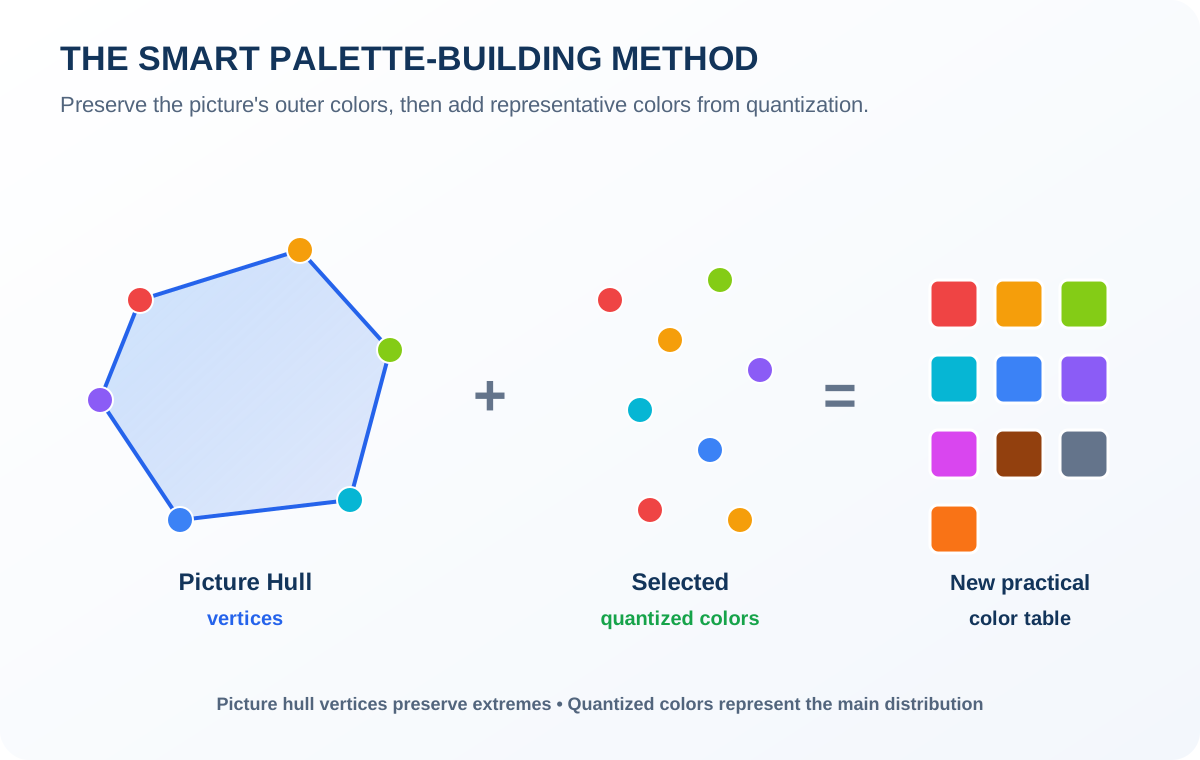
Using only quantized colors can remove some of the original picture’s extreme colors. Using only the Picture Hull vertices preserves the outer color boundaries, but these vertices alone usually cannot represent the full distribution of colors in the picture.
A better approach is to combine two types of colors:
Picture Hull Vertices + A Reasonable Selection of Quantized Colors
The Picture Hull vertices preserve the picture’s outer color range, including important bright, dark, and distinctive colors. Quantized colors represent the main color distribution and help retain the visual characteristics of the picture using a manageable number of colors.
Combining both gives you a practical starting point for a new color table — a recommended palette-building method you can follow based on the tool’s analysis.
Who Can Benefit from Color Analyst?
Color Analyst is designed for people who create artwork or products using a limited collection of physical colors — not only mosaic production.
Mosaic Artists
Check whether your existing tile collection covers the color range of a reference image before starting a mosaic project.
Bead Artists
Analyze available bead colors and build a more manageable color table for complex beadwork.
Carpet Designers
Compare a design with available yarn or fiber color charts before manufacturing.
Textile Professionals
Evaluate color limitations when working with predefined material collections.
Other Color-Based Crafts
Use color-range analysis to plan artwork or products that must be reproduced with limited physical colors.
How to Use Color Analyst
Eight steps from material library to a practical color table. Detailed instructions are available in the user guide.
Select Your Material Library
Choose the material color library you want to analyze.
Calculate the Palette Hull
Click Color Gamut of Palette to calculate the color boundary of your selected material collection.
Load Your Reference Picture
Load the picture you want to reproduce.
Calculate the Picture Hull
Click Color Gamut of Picture to analyze the sampled colors of the source picture.
Check the Coverage Rate
Review how much of the sampled picture color data falls inside your material palette’s color range.
Reduce the Number of Colors
Choose a target number of colors and run Color Quantization.
Compare the Three Hulls
Inspect the Palette Hull, Picture Hull, and Quantized Hull in the same 3D RGB space.
Plan Your Color Table
Combine the Picture Hull vertices with a reasonable selection of quantized colors to develop a practical starting palette.
Start Analyzing Your Colors — It’s Free
Whether you are designing a mosaic, planning beadwork, choosing carpet yarns, or preparing a color-limited production project, understanding your available color range is an important first step.
Try Color Analyst online and explore how your materials compare with your reference picture. No purchase, no subscription, no installation.
Know the limits of your materials before you begin production.Frequently Asked Questions
Is Color Analyst free?
Yes. Color Analyst is a free online tool that you can use to analyze picture colors and compare them with available material color collections.
What is Color Analyst used for?
It helps people who create artwork or products with limited physical colors analyze the relationship between their source picture and available materials.
Can I use it for beadwork or carpet design?
Yes. It can be useful for bead artists, carpet designers, textile professionals, mosaic artists, and other creators working with limited color collections.
What is a color gamut?
A color gamut is the range of colors that a particular device or collection of materials can represent. Color Analyst uses convex hulls in 3D RGB space to visualize and compare these color ranges.
What is a convex hull?
A convex hull is the smallest convex boundary enclosing a group of points. In Color Analyst, it represents the outer boundary of a set of RGB colors.
What does Coverage Rate mean?
It measures the percentage of sampled source-picture colors that fall within the color range enclosed by the selected material palette’s hull. It does not directly measure final visual similarity.
What is Color Quantization?
Color Quantization reduces the number of colors in a picture by grouping similar colors and generating a smaller set of representative colors.
What is the difference between Picture Hull and Quantized Hull?
The Picture Hull represents the original picture’s full sampled color range. The Quantized Hull represents the reduced set of representative colors generated through color quantization and is generally smaller.
Does Color Analyst automatically create a finished color palette?
It helps you analyze color ranges and identify useful colors for a practical palette. The recommended approach is to combine Picture Hull vertices with a reasonable selection of quantized colors as a starting point for your own color table.
Does Color Analyst replace professional color matching?
No. It provides mathematical color-range analysis and a useful pre-production reference. Actual physical materials, lighting, surface properties, and production techniques can affect the final appearance.