Cap Mosaic Maker Software
Create impressive mosaics using real bottle caps as individual tiles with Cap Mosaic Maker, specialized software developed by EzMosaic.
Turn a photograph or image into a bottle cap mosaic by arranging hundreds or thousands of individual caps to recreate the larger picture. Each cap contributes its own color, texture, and printed design, while automatic cap rotation helps optimize the visual appearance of the finished mosaic.
Whether you want to create a digital cap mosaic poster or plan a physical mosaic using real bottle caps, Cap Mosaic Maker provides tools for designing, managing, and preparing your project.
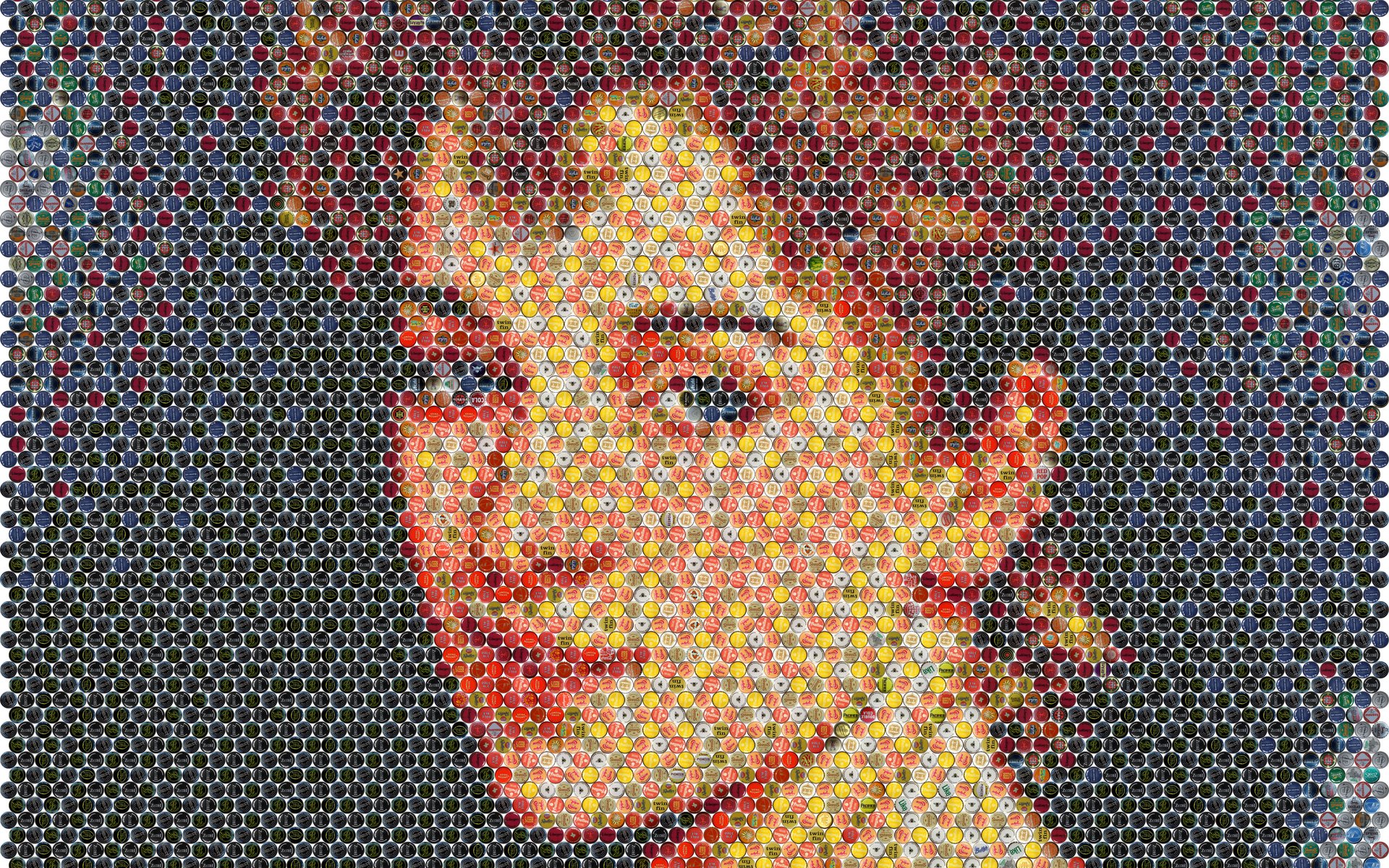
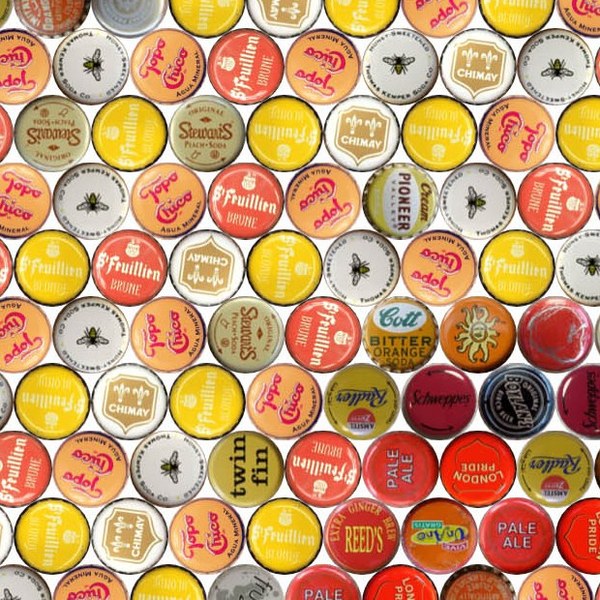 Actual-size detail
Every tile in this mosaic is a real bottle cap.
What Is a Bottle Cap Mosaic?
A bottle cap mosaic is an artwork created by arranging individual bottle caps to reproduce a larger photograph or image. Each cap acts as one mosaic tile — its color, printed design, and orientation all contribute to the finished composition.
From a distance, the caps blend together to reveal the main picture. Up close, the individual bottle caps become visible, creating a distinctive artwork made from real collected objects. Unlike ordinary photo mosaics, where each tile is a small photograph, a cap mosaic builds the image from the visual appearance of the caps themselves.
Bottle cap mosaics can be created as digital designs for poster printing, or as physical installations assembled from real caps.
Why Cap Rotation Matters
A bottle cap is not a flat, solid-color tile.
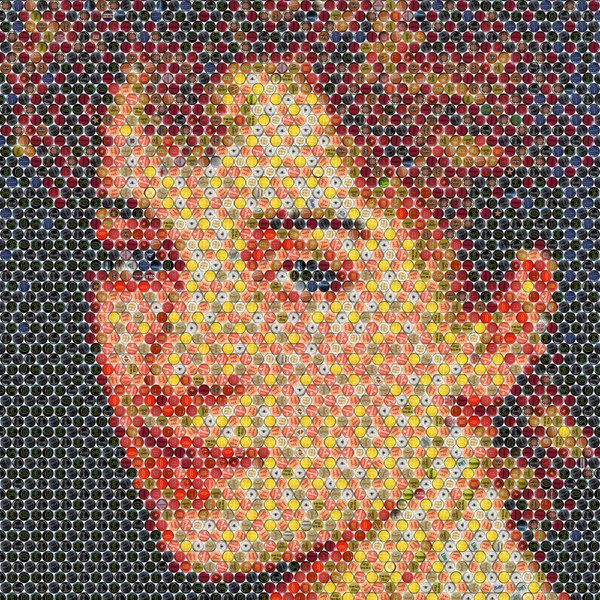
Each cap has a curved surface, directional highlights, and its own printed artwork. Turn the same cap, and its appearance changes — the highlight moves, the shading shifts, and a different part of its design catches the eye.
Cap Mosaic Maker takes advantage of this. Instead of treating caps as fixed images, the software automatically rotates individual caps to an angle that makes use of their natural shading, color, and visual details — so the finished mosaic reproduces the main image more effectively, cap by cap.
Turn a Photograph into a Bottle Cap Mosaic
Cap Mosaic Maker divides your main image into cells, matches each cell against your bottle cap library, and automatically rotates caps to make use of their natural shading, color, and printed design.
Choose Your Image
Select the photograph or artwork you want to recreate as a cap mosaic.
Select Your Caps
Import or select the bottle cap designs available for the project — your own collection or a digital library.
Configure the Mosaic
Set the layout, pattern, cap sizing, and cap usage for the design.
Arrange and Rotate
Let the software place the caps and automatically rotate them to use their natural shading and design.
Review and Output
Review the finished design and prepare it for digital printing or physical assembly.
Key Features of Cap Mosaic Maker
Cap Mosaic Maker is built around the realities of bottle caps — their artwork, curvature, and natural shading. These are the general capabilities of the software.
Custom Cap Library
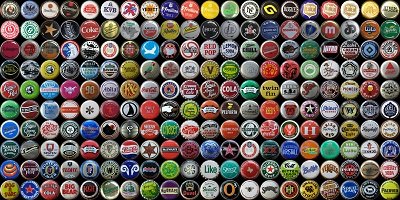
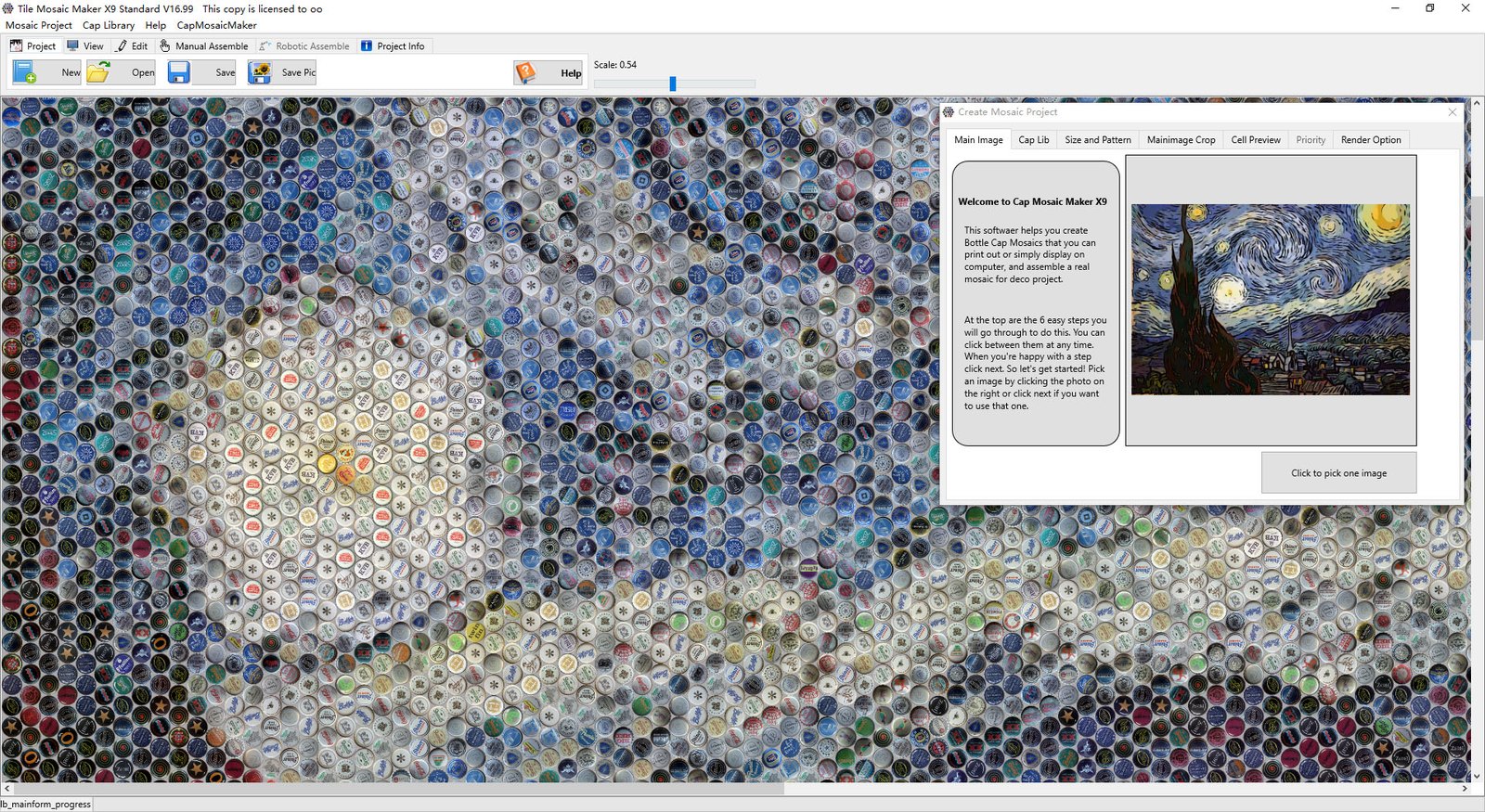
Import photographs of your own cap designs and build a custom cap library, so every mosaic is planned around your chosen caps. A demo library of free and community-contributed cap samples is included to get you started.
Intelligent Cap Matching
The software divides your main image into cells and matches each cell against your cap library by color, shading, and printed design, so every cap contributes to the larger picture.
Automatic Cap Rotation
Individual caps are automatically rotated to an angle that makes use of their natural shading, color, and artwork, helping the mosaic reproduce the main image more effectively.
Multiple Pattern Styles
Choose cap size, arrangement pattern, and grid dimensions to give each mosaic a different layout and texture.
Advanced Rendering Controls
Refine the result with repetition and color adjustment options, review the generated mosaic, and adjust the settings before producing the final output.
Workplan Generator
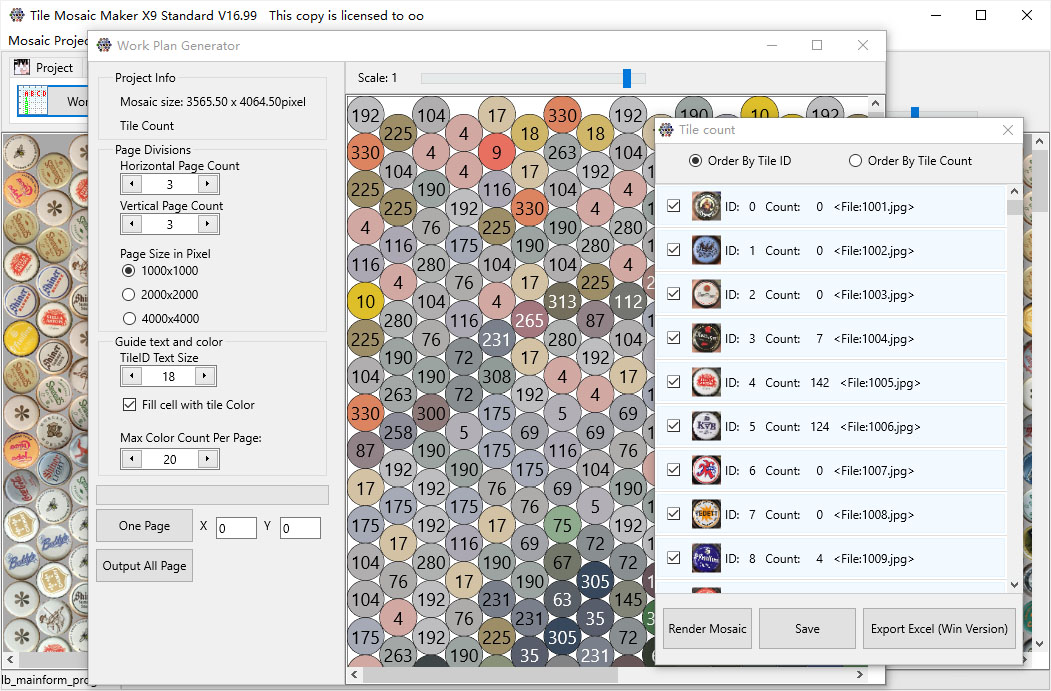
Generate a position-by-position assembly guide from your finished design — the workplan shows which cap goes where, so placing thousands of caps stays manageable.
Choose How You Want to Use Cap Mosaic Maker
Cap Mosaic Maker is available as both an online application and standalone desktop software. Both versions provide the core tools for creating bottle cap mosaics, including image matching, cap rotation, rendering adjustments, and workplan generation.
Choose the online version for an affordable, convenient way to get started, or purchase the standalone version for permanent use of the desktop software.
Online Version
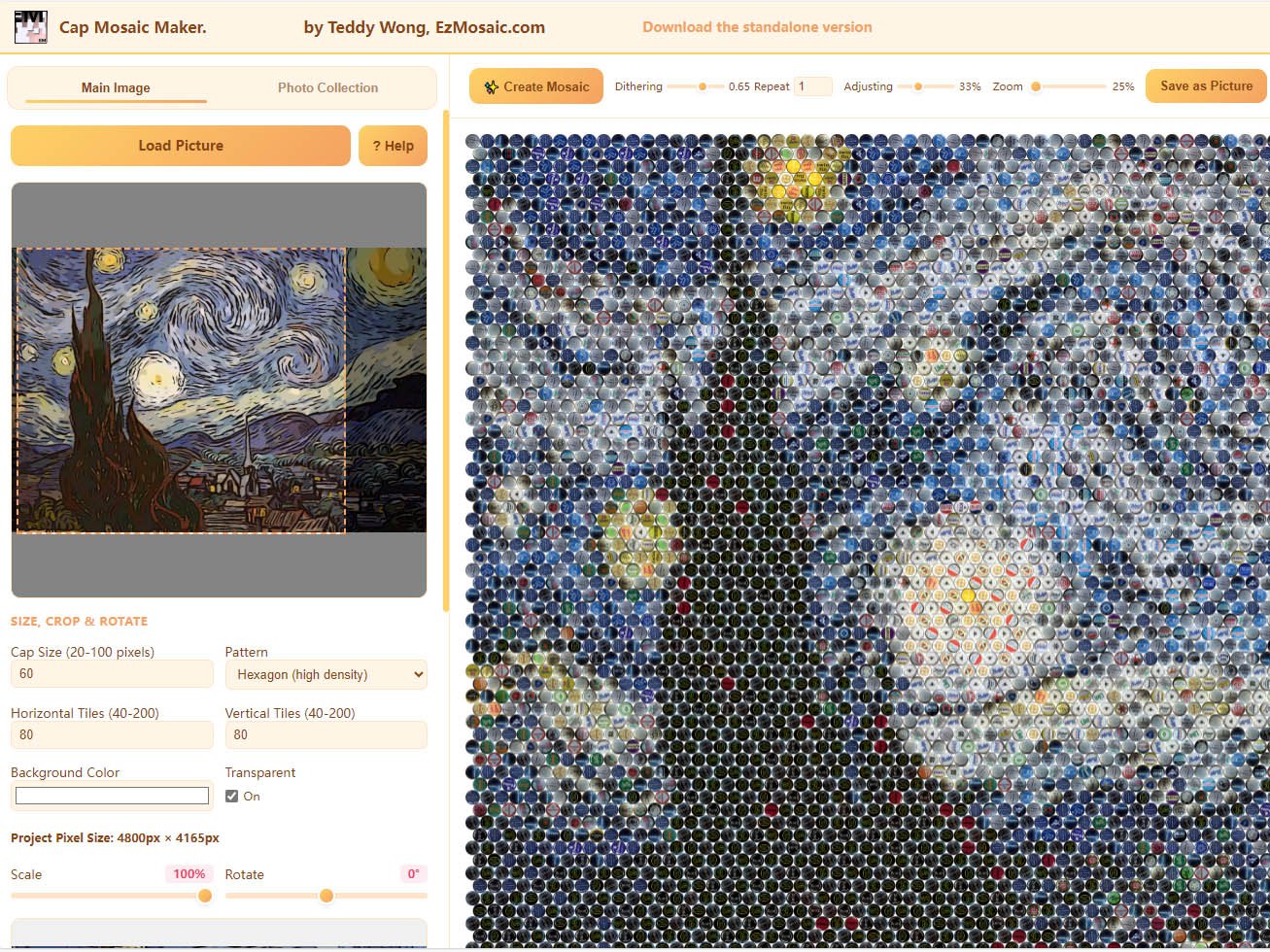
Create bottle cap mosaics directly in your web browser, without installing desktop software. The online version provides the same core mosaic design capabilities, making it an affordable and convenient way to explore Cap Mosaic Maker and create digital cap mosaic artwork.
- Works directly in a web browser
- No desktop installation required
- Same core mosaic design functionality
- Supports digital cap mosaic design and physical mosaic planning
- Flexible monthly or annual subscription
The online version is currently in beta testing — the product website carries the latest version and purchase details.
Standalone Desktop Version
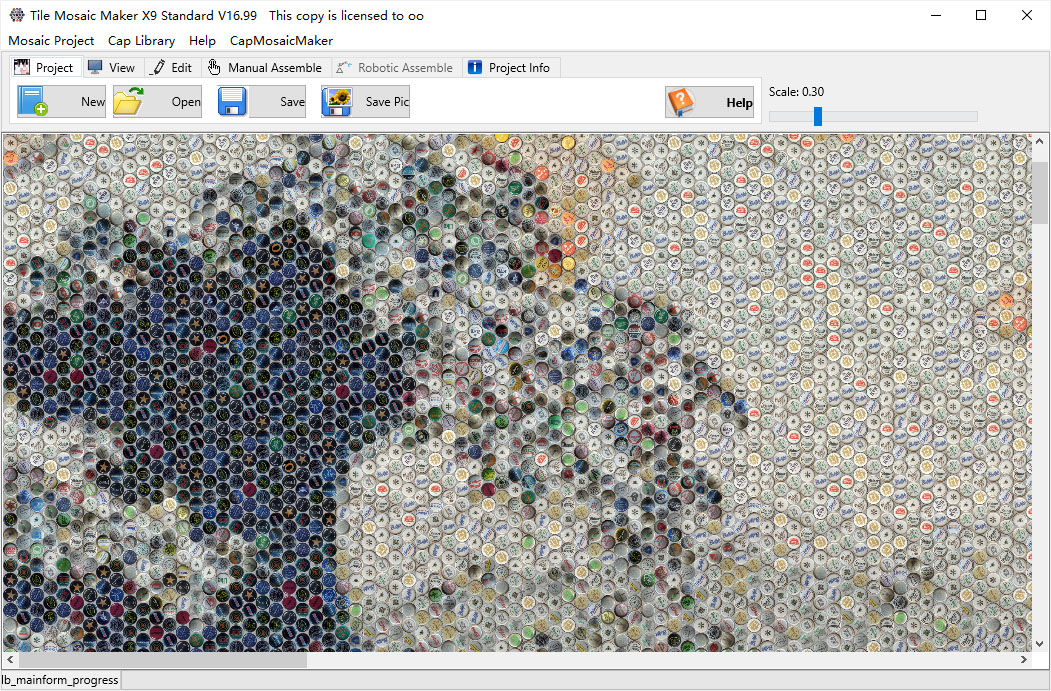
Get the full desktop version of Cap Mosaic Maker with a one-time purchase. Designed for users who prefer installed software and want to keep using their purchased version without an ongoing subscription.
Standard Edition
Full desktop software. Perpetual license for the purchased major version.
Buy Standard — $49.95What Can You Create with Cap Mosaic Maker?
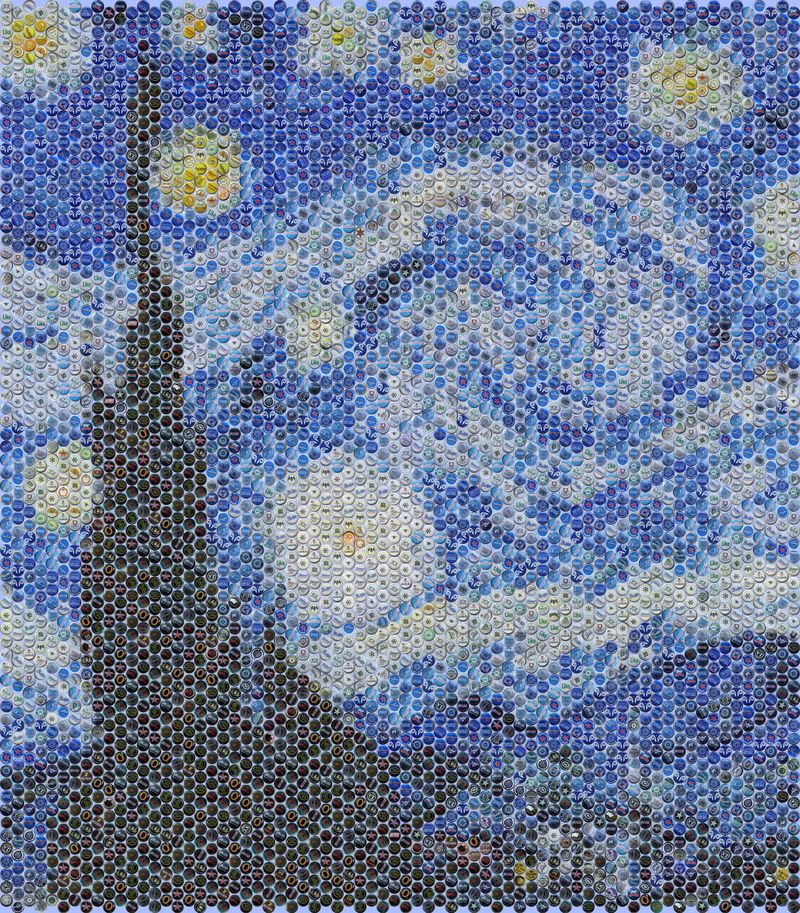
Option A — Digital Cap Mosaic Poster
Love the look of bottle cap mosaics but don’t have thousands of real caps? Create the design digitally and produce it as a photo-quality poster.
- Create the cap mosaic design digitally
- Adjust cap colors for the closest printed resemblance
- Produce a high-quality poster from the render
- Enjoy the cap mosaic look without collecting every cap
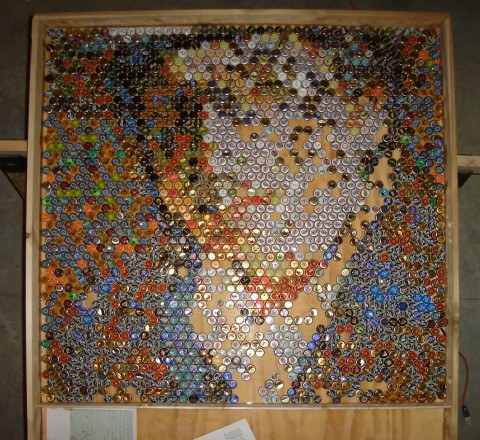
Option B — Physical Bottle Cap Mosaic
Have a real collection? Plan and prepare a physical mosaic built from the caps you actually own.
- Work from the cap designs in your collection
- Manage per-design cap quantities
- Arrange and automatically rotate caps to construct the image
- Generate an assembly workplan that shows which cap goes where
Replica Cap Printing and Production Options
A finished design can stay on screen, become a printed poster, or turn into a real physical artwork — EzMosaic supports the whole path.
Digital Poster Printing
Turn your finished digital mosaic into a high-quality printed poster produced from your high-resolution render — the cap mosaic look, without assembling a single cap.
Replica Cap Printing
Missing a design, or need a design that exists only digitally? Replica cap printing lets those caps still take part in a physical mosaic. Replica caps are printed reproductions — a separate service from the software, not original collectible caps.
Physical Mosaic Assembly Support
The software-generated workplan shows which cap goes where, so placing thousands of caps stays manageable. For larger installations, production support is available.
Need Professional Cap Mosaic Design Services?
Not every project starts from a box of caps and a free weekend. For corporate campaigns, commemorative displays, promotional projects, and large installations, EzMosaic can handle the technical preparation and design work for you.
From reviewing your main image and cap collection to planning the layout and preparing production-ready artwork, our team works with the same specialized tools behind Cap Mosaic Maker.
Professional Cap Mosaic DesignWhy Choose EzMosaic?
EzMosaic develops specialized mosaic software designed around the characteristics of different materials and creative applications — and has done so since 1998.
Cap Mosaic Maker applies this experience to the unique challenges of bottle cap mosaics, where individual cap appearance, natural shading, orientation, and material quantities all influence the final result.
You can create your own designs with the software, or work with EzMosaic for professional design and production assistance — software tools and professional services from the same specialist team.
Who Is Cap Mosaic Maker For?
Bottle Cap Collectors
Turn a collection gathered over years into a single memorable artwork instead of a box in the attic.
Bars and Pubs
Create a logo or wall display from the caps your business collects every day.
Hobbyists and Crafters
Plan a physical mosaic project with an accurate, position-by-position assembly workplan.
Artists and Mosaic Makers
Explore bottle caps as a creative medium for large-scale decorative installations.
Event Organizers
Design distinctive commemorative artwork for festivals, openings, and special events.
Brands and Campaigns
Create promotional displays and custom bottle cap artwork that people actually stop to look at.
Cap Mosaic Maker — Frequently Asked Questions
What is a bottle cap mosaic?
A picture built from bottle caps. Each cap acts as a single mosaic tile — its artwork, color, and texture combine with hundreds or thousands of other caps to form the overall image.
Can I use my own bottle caps?
Yes. Import photographs of your own cap designs to build a custom cap library, so the mosaic is planned around the caps you choose. A demo library is included for a quick start.
How does automatic cap rotation work?
Caps have curved surfaces and directional highlights, so their appearance changes with orientation. The software rotates each cap to an angle that uses its natural shading, color, and printed design when constructing the mosaic.
Can I limit how many times each cap design is used?
Yes. Cap Mosaic Maker includes cap usage controls: an overall repetition limit across the whole mosaic, plus Cap Inventory — individual quantity limits for each cap design — so a plan built from a real collection never requires more caps than you own.
What is the Workplan Generator?
The Workplan Generator produces a position-by-position assembly guide from your finished design, showing which cap goes where. It keeps assembling thousands of caps manageable. Both the online and standalone versions support it.
What is the difference between digital and physical mosaic workflows?
The digital workflow creates artwork for screens and poster printing; the physical workflow plans a mosaic built from the real caps you own. Both versions support both workflows — choose color-adjusted output for printable designs, or an original-color preview that stays true to your actual caps.
Can I create a cap mosaic poster without collecting real caps?
Yes. You can design digital cap mosaic artwork with a digital cap library and produce a photo-quality poster — no physical caps needed. EzMosaic offers poster printing as a separate service.
Can I print replica bottle caps?
Yes. Replica cap printing is available as a separate EzMosaic service for designs you are missing or that exist only digitally. Replica caps are printed reproductions, not original collectible caps, and are not included with the software.
Two Ways to Your Cap Mosaic
Create Your Own Cap Mosaic
Turn your bottle cap collection into mosaic art with Cap Mosaic Maker — online in your browser, or as standalone desktop software.
Explore Cap Mosaic Maker
Have EzMosaic Create It for You
EzMosaic provides professional cap mosaic design, poster printing, replica cap printing, and production support for larger projects.
Professional Cap Mosaic ServicesCap Mosaic Maker is developed by EzMosaic, a mosaic software specialist since 1998.