Photo Mosaic Maker Software
Create impressive photo mosaics from your own photo collection with Photo Mosaic Maker, specialized software developed by EzMosaic.
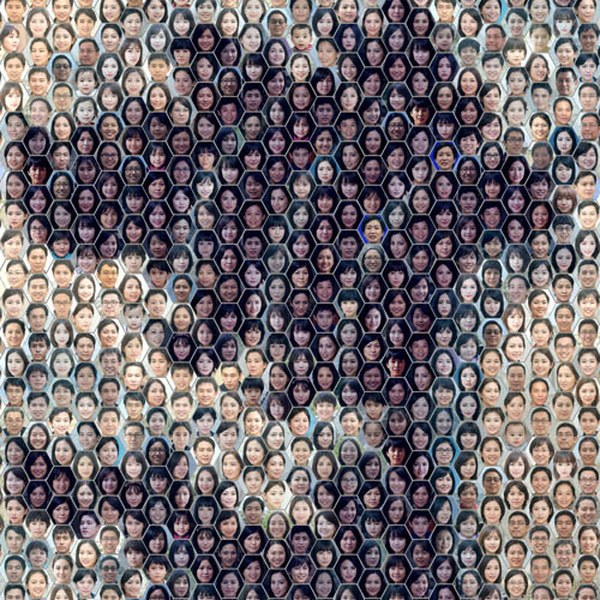
Combine hundreds or thousands of individual photographs to recreate a larger image. From a distance, the photographs blend together to form the main picture. Up close, each individual photo remains visible, revealing the personal stories behind the mosaic.
Developed by EzMosaic, a mosaic software specialist since 1998, Photo Mosaic Maker provides advanced image matching, flexible cell patterns, and rendering controls for creating distinctive photo mosaics.
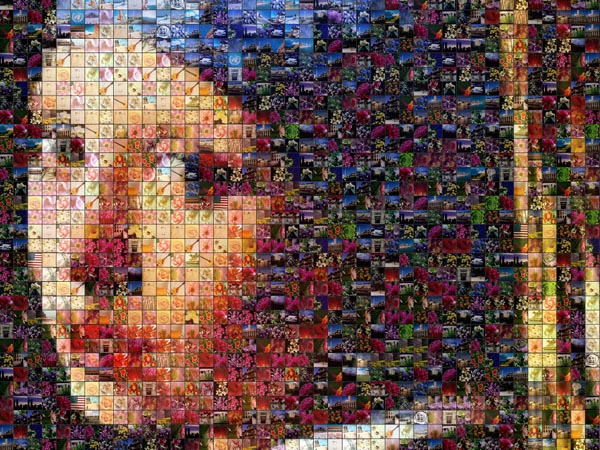
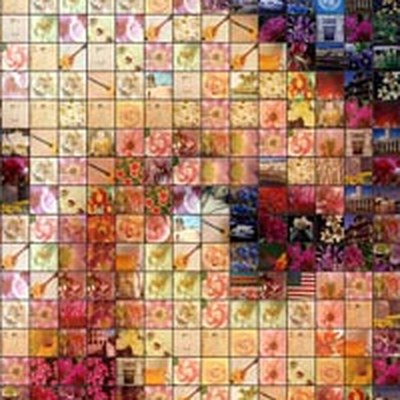 Close-up detail
One mosaic, two views: the main image from a distance, individual photos up close.
How Does a Photo Mosaic Work?
A photo mosaic recreates a main image using many smaller photographs as individual tiles. Each small photograph is selected and positioned according to how well its visual characteristics match the corresponding area of the main image.
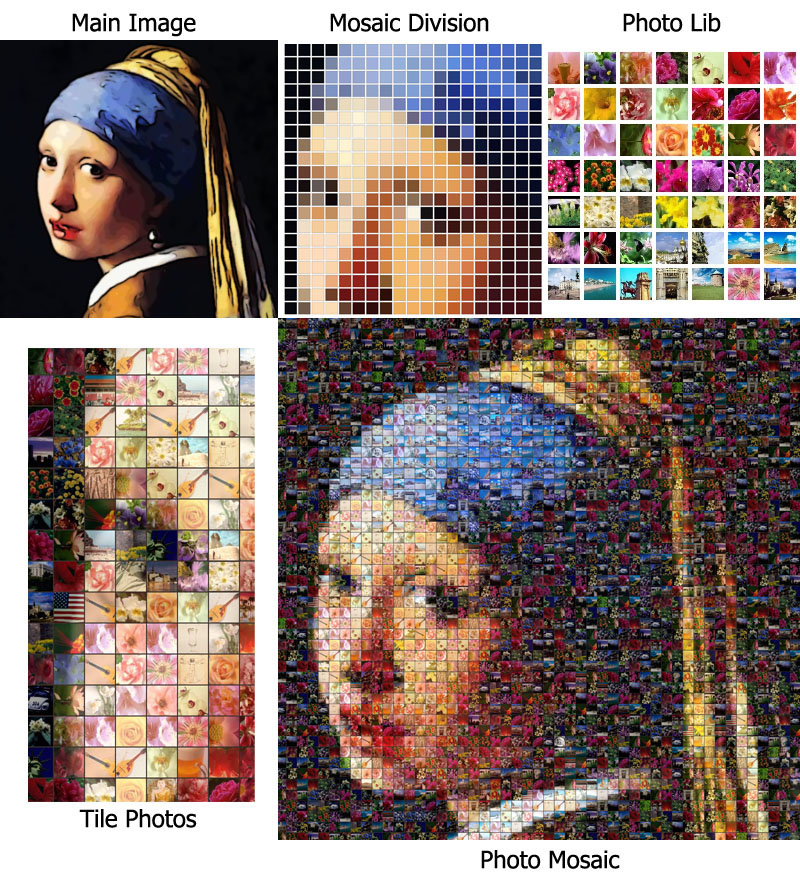
When viewed from a distance, the individual photos combine visually to form the larger picture. When viewed close up, the individual photographs become visible — each one a real picture from the collection behind the artwork.
Photo Mosaic Maker handles the analysis and matching for you: it divides the main image into cells, studies the color and tone of each region, and picks the photographs that fit best.
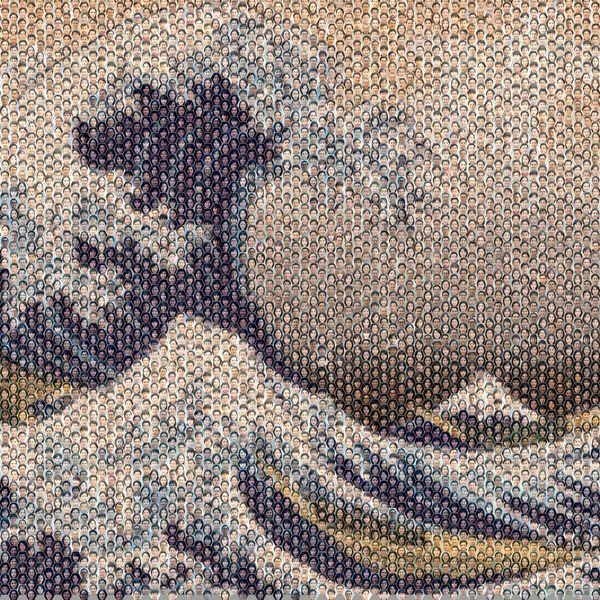
Advanced Technology for Better Photo Mosaics
Photo Mosaic Maker combines mathematical image matching with flexible construction options, so the software adapts to your photo collection — not the other way around.

Intelligent Photo Matching
Advanced mathematical image-matching algorithms select suitable photographs for different areas of the main image, creating a closer visual relationship between your source photos and the final mosaic.
Flexible Cell Shapes
Support for different cell shapes creates different visual effects and arrangements. Supported shapes include rectangular and other geometric forms such as ellipses and hexagons — five shapes in total.
Creative Pattern Styles
Different photo arrangement patterns change the texture of the mosaic. Options include normal, cross, and concentric-circle patterns — concentric circles are available in the PRO edition.

Detailed Rendering Controls
Control the important rendering characteristics — photo repetition, cell-size range, gap color, and color matching — and refine individual cells after generation.
Choose the Photo Mosaic Maker Edition That Fits Your Needs
Photo Mosaic Maker is available as a desktop application for Windows and macOS in two editions, alongside an online version you can try directly in the browser.
| Specification | Standard | PRO |
|---|---|---|
| Photo library size | Up to 2,000 images | Up to 10,000 images |
| Mosaic cell count | Up to 10,000 cells | Up to 40,000 cells |
| Cell shapes | 5 shapes | 5 shapes |
| Pattern styles | Normal, Cross | Normal, Cross, Concentric circles |
| Platforms | Windows & macOS | Windows & macOS |
Specifications verified against the current product website. A free trial and an online version are available — the dedicated product site always carries the latest editions, pricing, and downloads.

Buy Photo Mosaic Maker
Two desktop editions for Windows and macOS, available as a one-time purchase. Buying directly from EzMosaic includes both the Windows and Mac versions.
Photo Mosaic Maker Standard
For personal projects and smaller libraries.
- Up to 2,000 library images
- Up to 10,000 mosaic cells
- Five cell shapes
- Normal and cross patterns
- Windows & macOS included
Photo Mosaic Maker PRO
For demanding compositions and large libraries.
- Up to 10,000 library images
- Up to 40,000 mosaic cells
- Five cell shapes
- Normal, cross and concentric-circle patterns
- Windows & macOS included
One-time purchase via PayPal. Prices verified against the current product website.
Also on the Microsoft Store
Prefer a store purchase? Photo Mosaic Maker is also sold on the Microsoft Store.
Free Trial
Try Photo Mosaic Maker before you buy — Windows 64-bit download.
Prefer to Create Photo Mosaics Online?
No installation. No desktop software required.
Create photo mosaics directly in your browser.
Launch Online Photo Mosaic MakerCreate Your Own Photo Mosaic in Five Steps
Choose Your Main Image
Select the picture that will be recreated as the final mosaic — clear subjects with good contrast work best.
Import Your Photo Collection
Add the photographs that will form the individual mosaic tiles — family photos, travel pictures, event images, any collection.
Configure Your Mosaic
Select cell shapes, patterns, and other rendering options, then preview how the main image divides into cells.
Generate and Refine
Let the software match photographs to the main image, then adjust settings to improve the result.
Save or Print
Export the completed mosaic for sharing, printing, or further production.
Professional Photo Mosaic Experience
EzMosaic has been developing mosaic software since 1998, combining practical project experience with specialized image-processing technology. Our experience extends beyond consumer software into large-scale professional mosaic production.
A Guinness World Records Photo Mosaic Project
For P&G’s Pampers brand, Procter & Gamble collected 180,000 photographs from its customers to create a giant photo mosaic. EzMosaic processed and prepared all 180,000 source photographs, created the mosaic artwork, produced the digital preview, divided the mosaic into individual print-ready sheets, and prepared the detailed assembly workplan — meeting Guinness World Records’ official documentation requirements. Physical printing and installation were handled by P&G’s production partner.
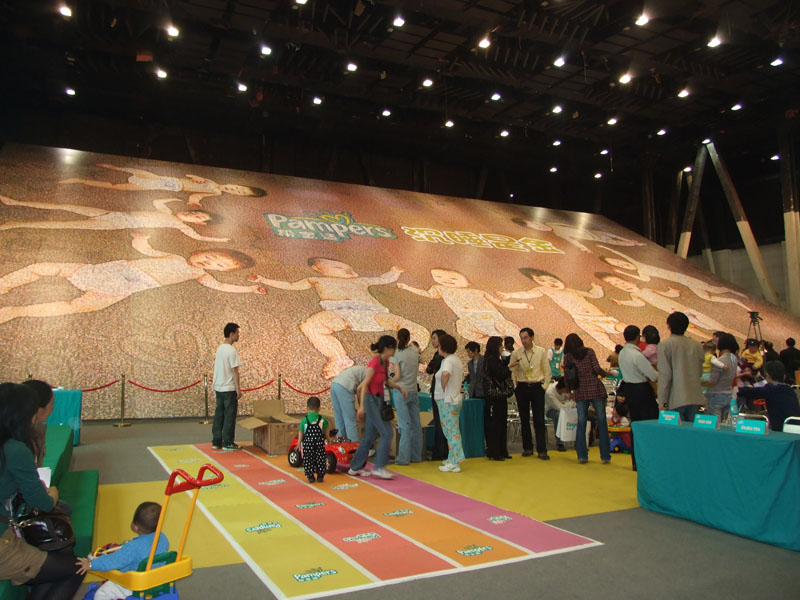
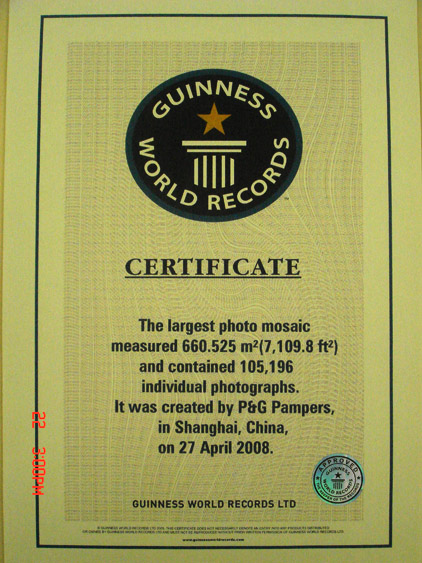
- P&G collected the photographs from its customers for the project.
- EzMosaic processed and prepared all 180,000 source photographs, created the mosaic artwork, produced the digital preview, prepared the print-ready sheets, and developed the assembly workplan.
- P&G’s production partner handled the physical printing and installation of the mosaic.
A project at this scale demonstrates why reliable image processing and careful production preparation matter — experience that feeds directly into Photo Mosaic Maker and our professional services.
Need a Professional Photo Mosaic?
Not everyone wants to create a photo mosaic themselves. Whether you are planning a corporate campaign, commemorative display, promotional project, or personal photo mosaic, EzMosaic can help turn your photo collection into a professionally designed mosaic.
Our experience in photo mosaic software and large-scale projects helps us handle the technical preparation and design work required to create a successful result.
Professional Mosaic Design
From reviewing your main image and source collection to planning the layout, processing large photo libraries, and preparing high-resolution, print-ready artwork.
Professional Design ServiceProduction, Printing & Shipping
For projects that go beyond a digital file, we also support mosaic production, printing, and international shipping of the finished artwork.
Production, Printing and ShippingPhoto Mosaic Maker — Frequently Asked Questions
What is a photo mosaic?
A photo mosaic is a large image constructed from many smaller photographs. Each photograph acts as an individual tile, and together the tiles recreate the appearance of the main image — recognizable from a distance, made of real photos up close.
How many photos do I need to create a photo mosaic?
It depends on the size of the mosaic and the variety you want. Around 200 photographs is a practical starting point for good quality, while about 1,000 photographs provides excellent variety. Larger collections work too, subject to your software edition and computer.
Can I use my own photographs?
Yes. Photo Mosaic Maker is designed specifically to use your own photo collection as the individual mosaic tiles — family photographs, travel pictures, customer images, event photographs, or any other image collection.
How does photo matching work?
The software divides your main image into cells and analyzes the color and visual characteristics of each region. It then selects photographs from your collection whose appearance best matches each area, and you can refine the result with repetition, color-matching, and other rendering controls.
Can I change the shape and arrangement of individual photos?
Yes. Photo Mosaic Maker supports five cell shapes, including rectangular forms, ellipses, and hexagons, plus arrangement patterns such as normal, cross, and — in the PRO edition — concentric circles.
What is the difference between Standard and PRO editions?
Standard supports photo libraries up to 2,000 images and mosaics up to 10,000 cells, with normal and cross patterns. PRO supports up to 10,000 library images and 40,000 cells, and adds the concentric-circle pattern. Both run on Windows and macOS. The product website carries the full current comparison.
Can I create a photo mosaic online?
Yes. An online version is available at PhotoMosaicMaker.com that runs directly in the browser. The desktop editions offer larger libraries, higher cell counts, and finer control for bigger projects.
Can EzMosaic create a photo mosaic for me?
Yes. If you would rather leave it to specialists, our professional photo mosaic design service can handle the technical preparation and design work for personal, corporate, and large-scale projects.
Can I have my photo mosaic printed?
Yes. Mosaics created with the software can be exported for printing. For professional printing, production, and international shipping of finished artwork, see our production, printing and shipping service.
Two Ways to Your Photo Mosaic
Create Your Own Photo Mosaic
Turn your photo collection into a mosaic yourself with Photo Mosaic Maker — desktop editions for Windows and macOS, or the online version in your browser.
Explore Photo Mosaic Maker
Have EzMosaic Create It for You
Hand your project to the team behind a Guinness World Records photo mosaic — professional design, production, printing, and international shipping.
Get Professional Design HelpPhoto Mosaic Maker is developed by EzMosaic, a mosaic software specialist since 1998.